Penny looks after sponsors, speakers and delegates in portals that put their own tasks first.
Penny answers sponsors, speakers, delegates and solution providers inside their portals. Each of the four portals puts that person's next task first and carries your event's design. Penny is the only agent they meet.

- Task firstEvery participant sees exactly what needs doing next as soon as their portal opens. Their remaining tasks follow by due date, with everything else behind them.
- No passwordsParticipants sign in with an email link or LinkedIn. There are no passwords. The sign-in screen gives the same answer for every address, so it never reveals who has a place.
- Penny, and only PennyPenny is the only agent participants meet. She answers under your event's name, limited to what that person may see, and hands anything she cannot answer to the person you named.
What your sponsors, speakers and delegates see
Look inside sample event Northgate Forum 2027: the sponsor's completed task list, the speaker's one remaining task, the delegate's agenda and the portal-opening email, all carrying the event's design.
 Sam package and deadlines
 Penny answers and reminders
- Sam tasks and deadlines
- Penny chases what is owed
 Andy sessions
 Alex 1:1 meetings in the breaks
- Sam registration and email
 Wendy the sign-up form
Each person sees their own tasks first.
See which questions and tasks Penny handles in each portal, alongside who uses it and what they see. Choose a portal, then enlarge either of its two wireframe screens.
Sponsor portal
Who uses it. Each sponsor and exhibitor's main contact, with the colleagues they add to their team.
What they see
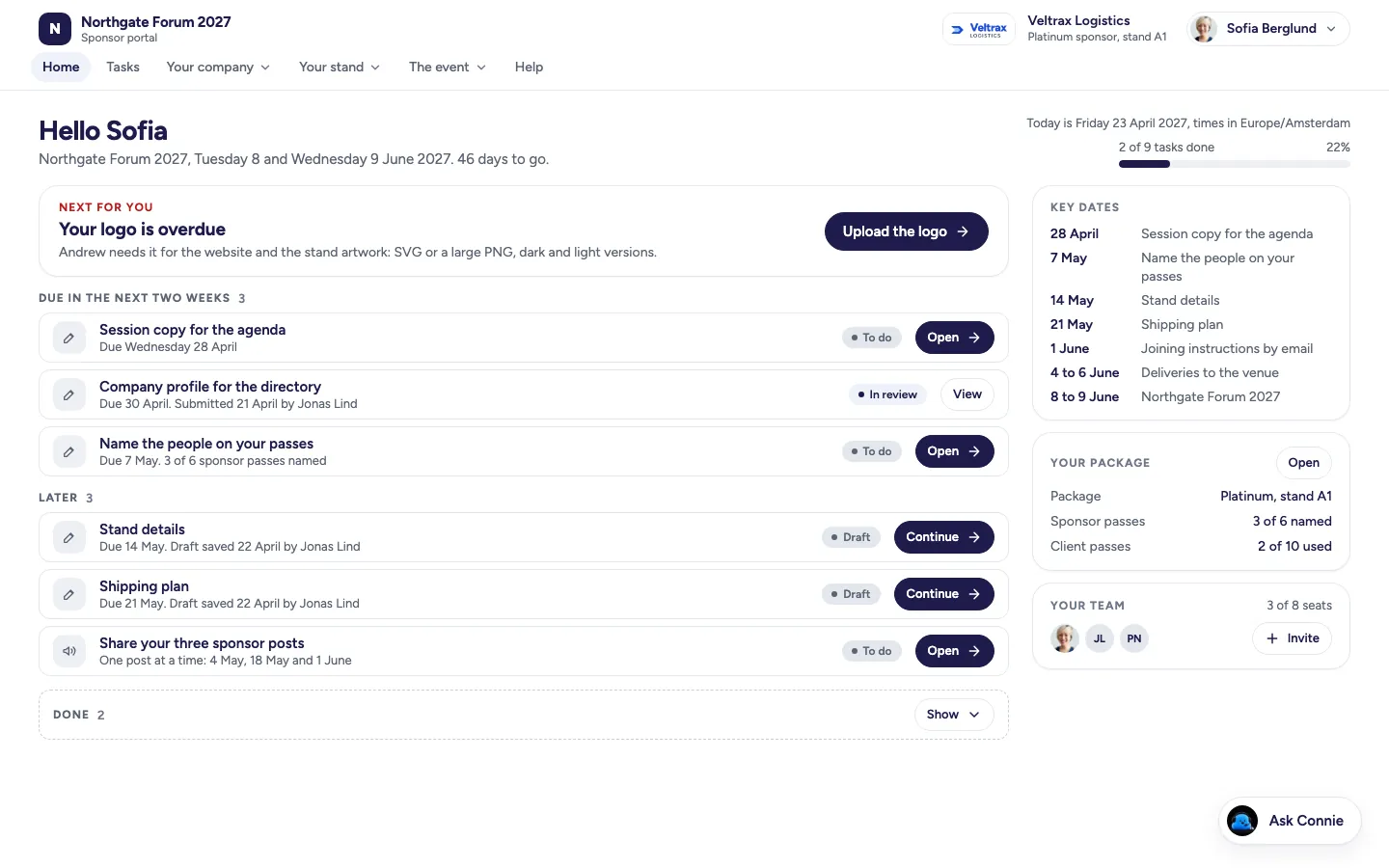
- 1Their next action, then every task by due date, each with the deadline and what happens when it is done.
- 2Key dates for the event, their package and what it includes, and their team.
- 3Passes to name, guests to add for your review, and their company profile.
- 4Shipping details with the address and cut-offs, and the venue.
- 5A sharing kit with dated posts, when the Social sharing add-on is on.
- 6After the event: their report and what comes next.
- Upload your logo
- Name your 6 passes
- Sign the sponsor agreement
What Penny does here
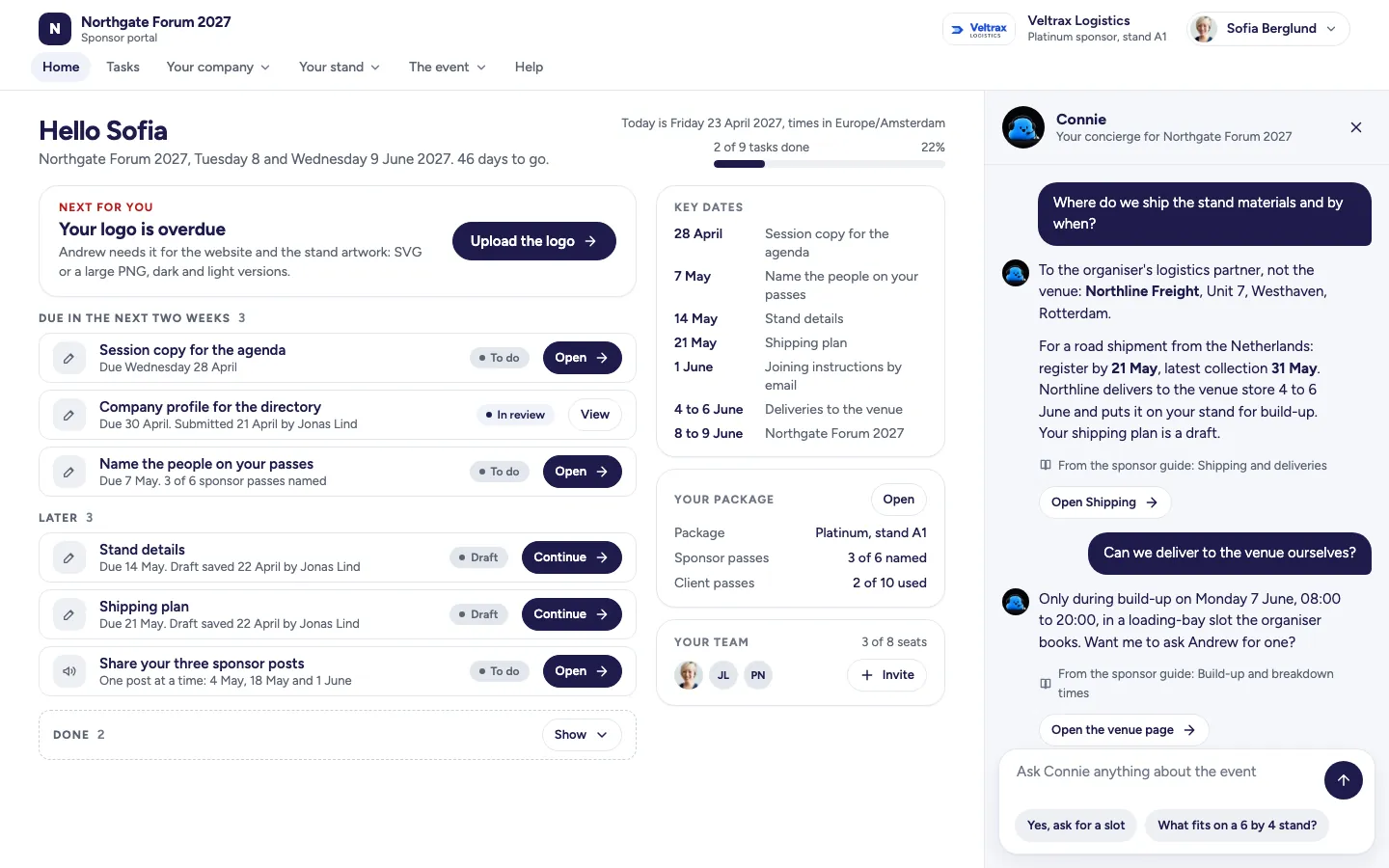
- Welcomes each new contact and points to the first task.
- Reminds them in the portal before a deadline.
- Answers from your knowledge base and the sponsor's own tasks and package, and names the guide she used.
- Hands a question she cannot answer to the person you named, then shows your reply in the conversation.
- Keeps upgrade questions recorded for you and labels add-ons "ask for a quote". Penny never changes money or entitlements, and the portal takes no payment.
- Can be paused by you, with the portal telling participants your team will answer.
 View larger: Home
 View larger: Penny answers
Speaker portal
Who uses it. Speakers, moderators and panellists, once they have said yes to a session.
What they see
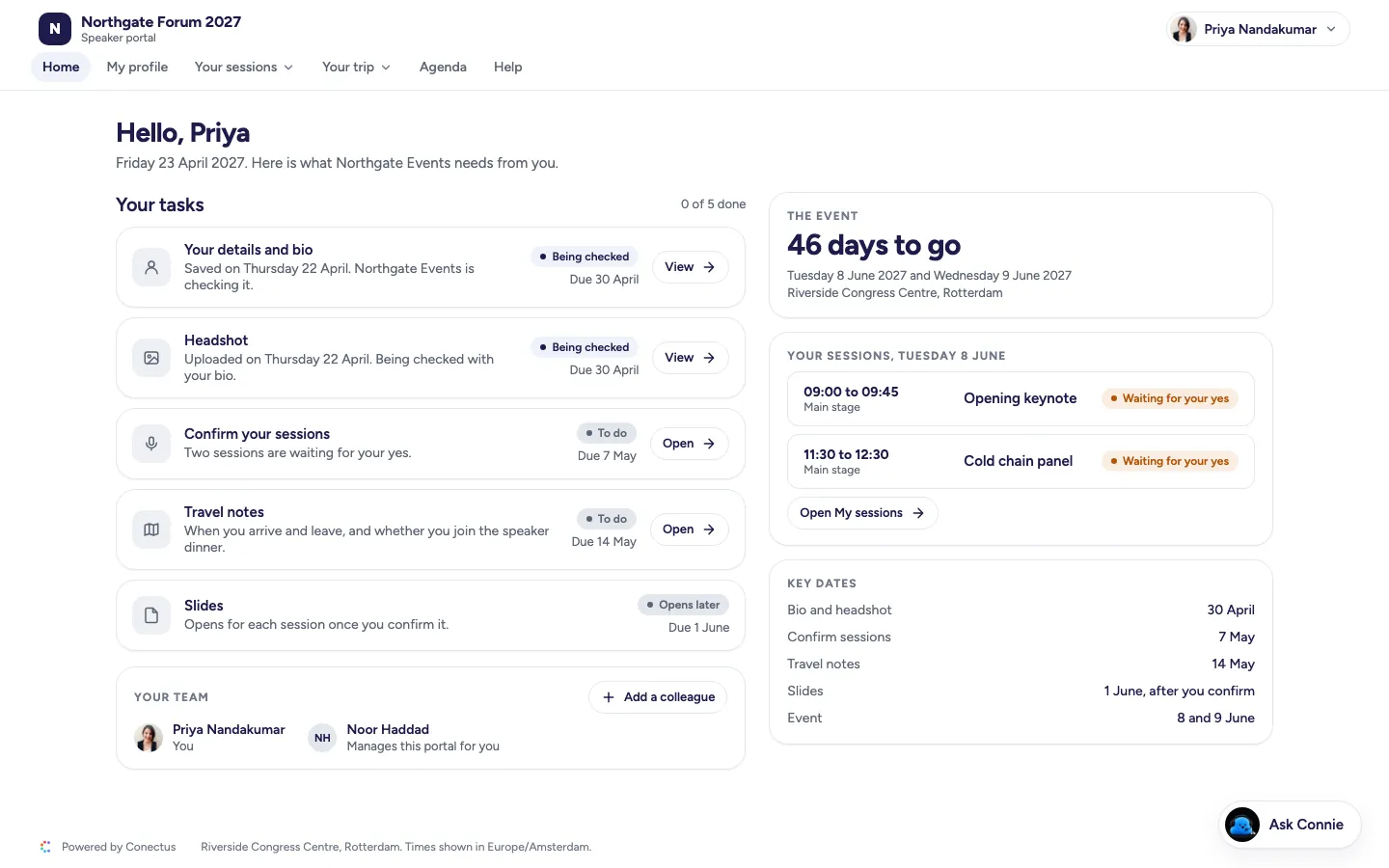
- 1Their next action, then every task by due date.
- 2Their sessions: confirm the details, or ask for a change.
- 3Slides: upload, replace, and when attendees may download them.
- 4Their profile, headshot and bio, as they will appear on the public speakers page.
- 5Travel, hotels and guests.
- 6A sharing kit Max prepares around their session, when the Social sharing add-on is on.
- Upload your headshot
- Confirm your session details
- Upload your slides
- Accept the speaker terms
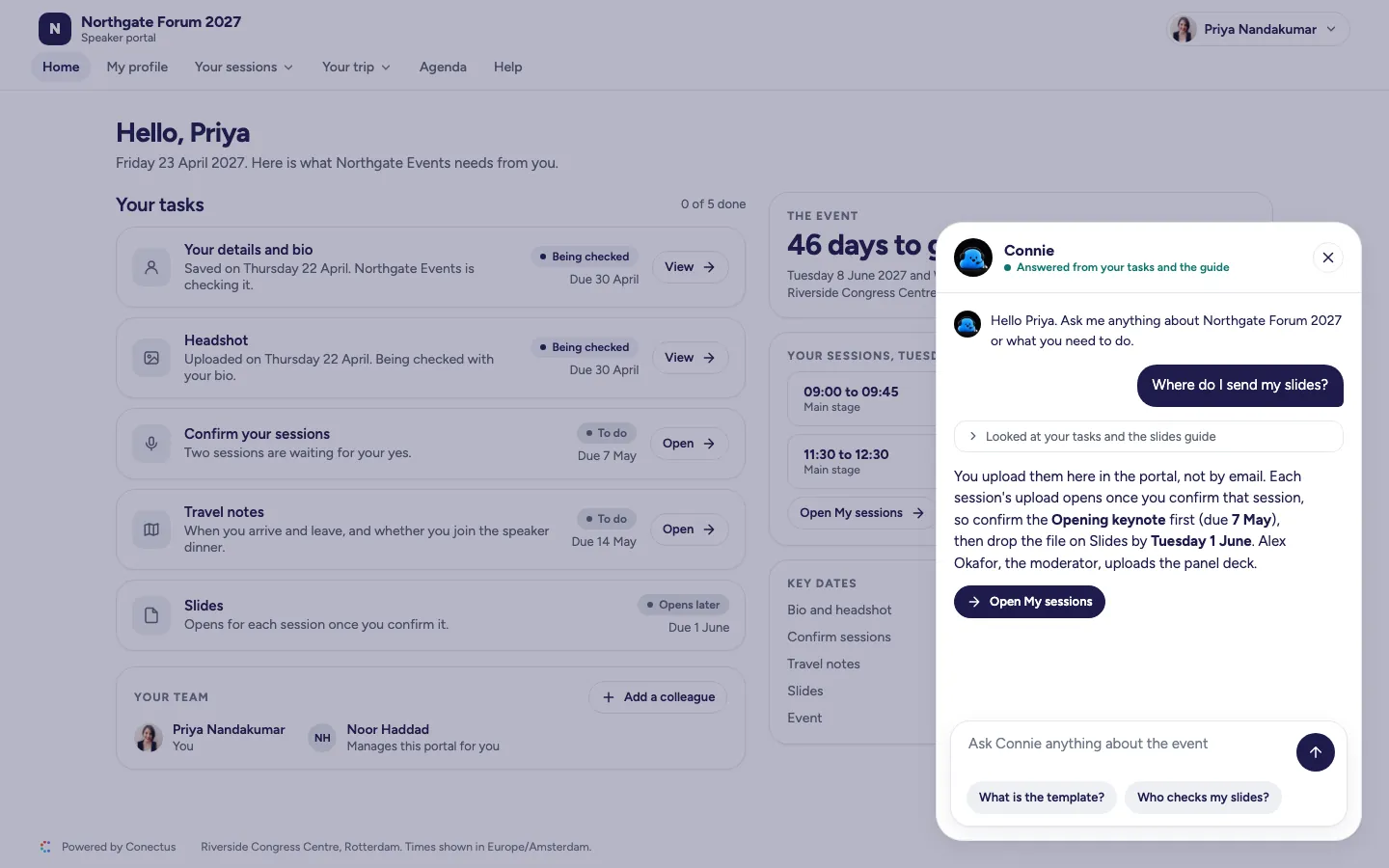
What Penny does here
- Penny handles the reminders before the slides deadline.
- Penny draws on your knowledge base and the speaker's own sessions to answer questions about travel, the session and the venue.
- Penny passes the session change request to you and Andy checks it against the agenda before your decision.
- Penny passes anything she cannot answer directly to the person you named.
 View larger: Home
 View larger: Ask Penny
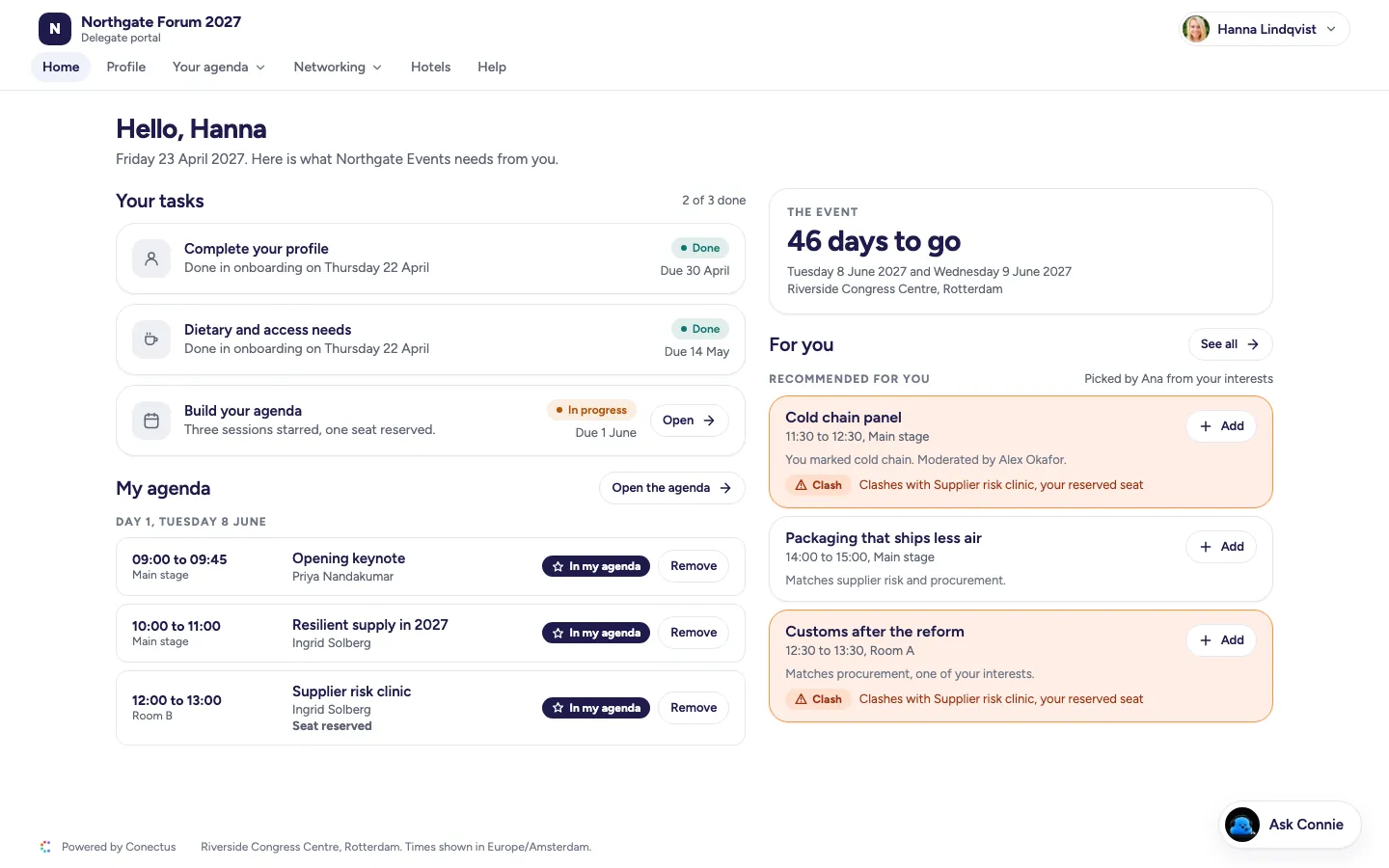
Delegate portal
Who uses it. Registered delegates, including VIP pass holders, from registration to the day after the event.
What they see
- 1Registration, with your own onboarding questions.
- 2Their next action, then their tasks.
- 3The agenda, where they star sessions for My agenda, with clash warnings and seats for sessions with a limit.
- 4Their profile, and the attendee list once their profile has a job title.
- 5Hotels and venue.
- 61:1 meetings proposed by Alex, when the Meetings add-on is on.
- Complete your profile
- Pick the sessions you want (optional)
- Book a hotel room
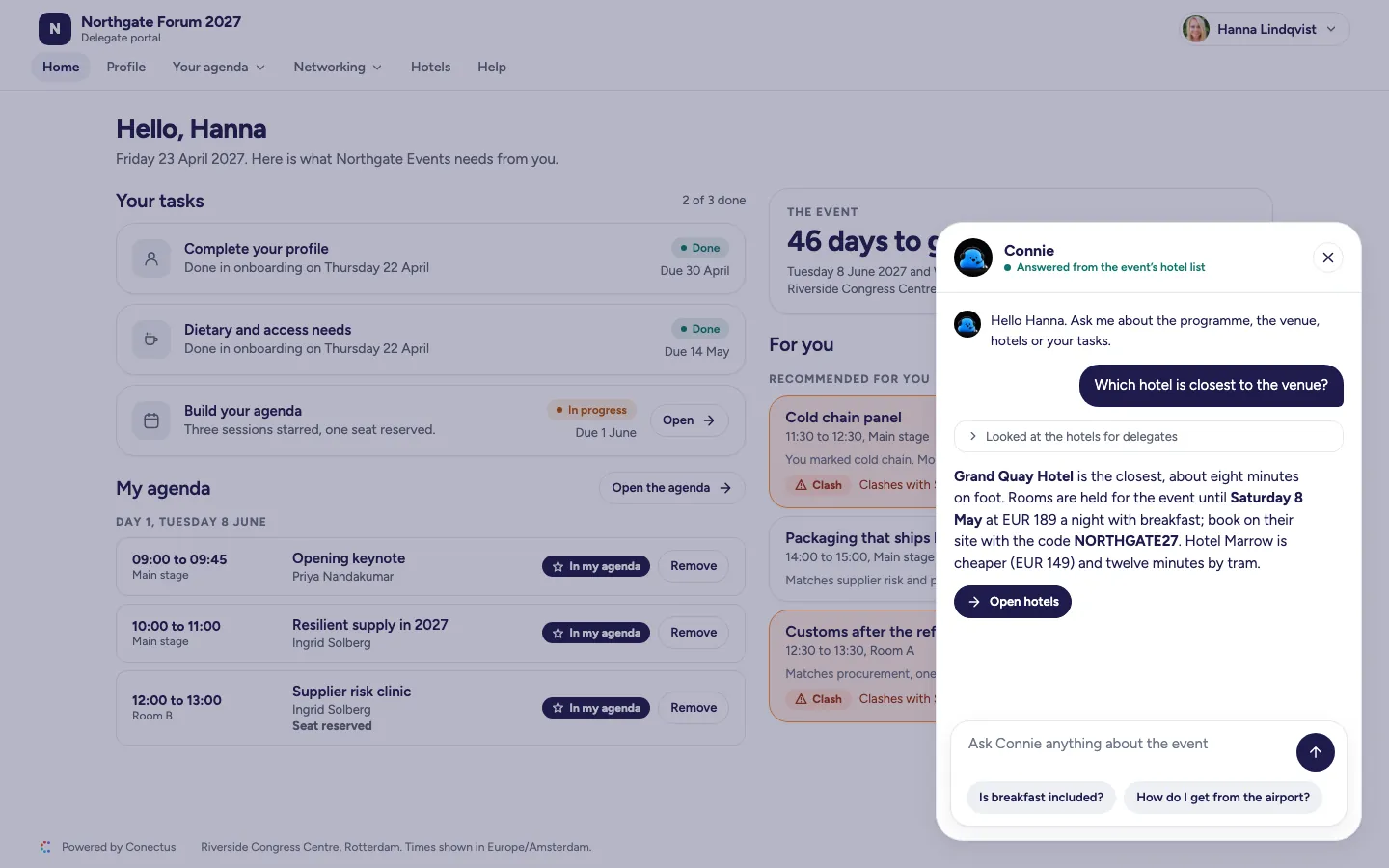
What Penny does here
- Penny gives delegates answers under your event's name, using only information they may see.
- Penny passes anything she cannot answer to the person you named, with no answer time promised.
- Penny hosts the game when you enable it, handling points, polls, prizes and the leaderboard.
 View larger: Home
 View larger: Ask Penny
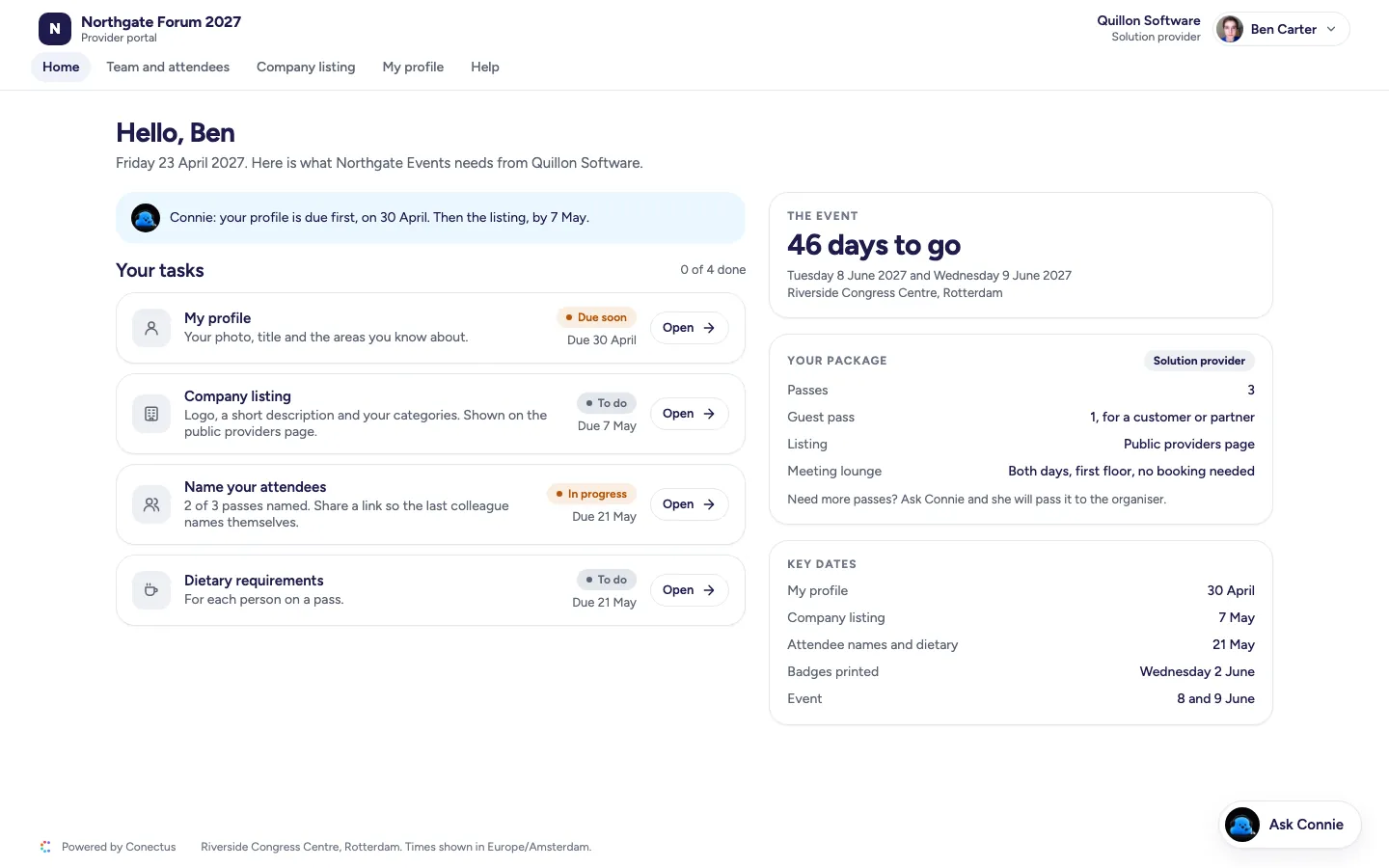
Solution provider portal
Who uses it. Solution providers on a showcase or listing package, and the colleagues they add.
What they see
- 1Their next action, then every task by due date.
- 2Their listing: what the public sees about their company and product.
- 3Their team and passes.
- 4Load-in times and the venue.
- Book your load-in slot
- Upload your insurance certificate
- Name your 2 attendees
- Pay the invoice
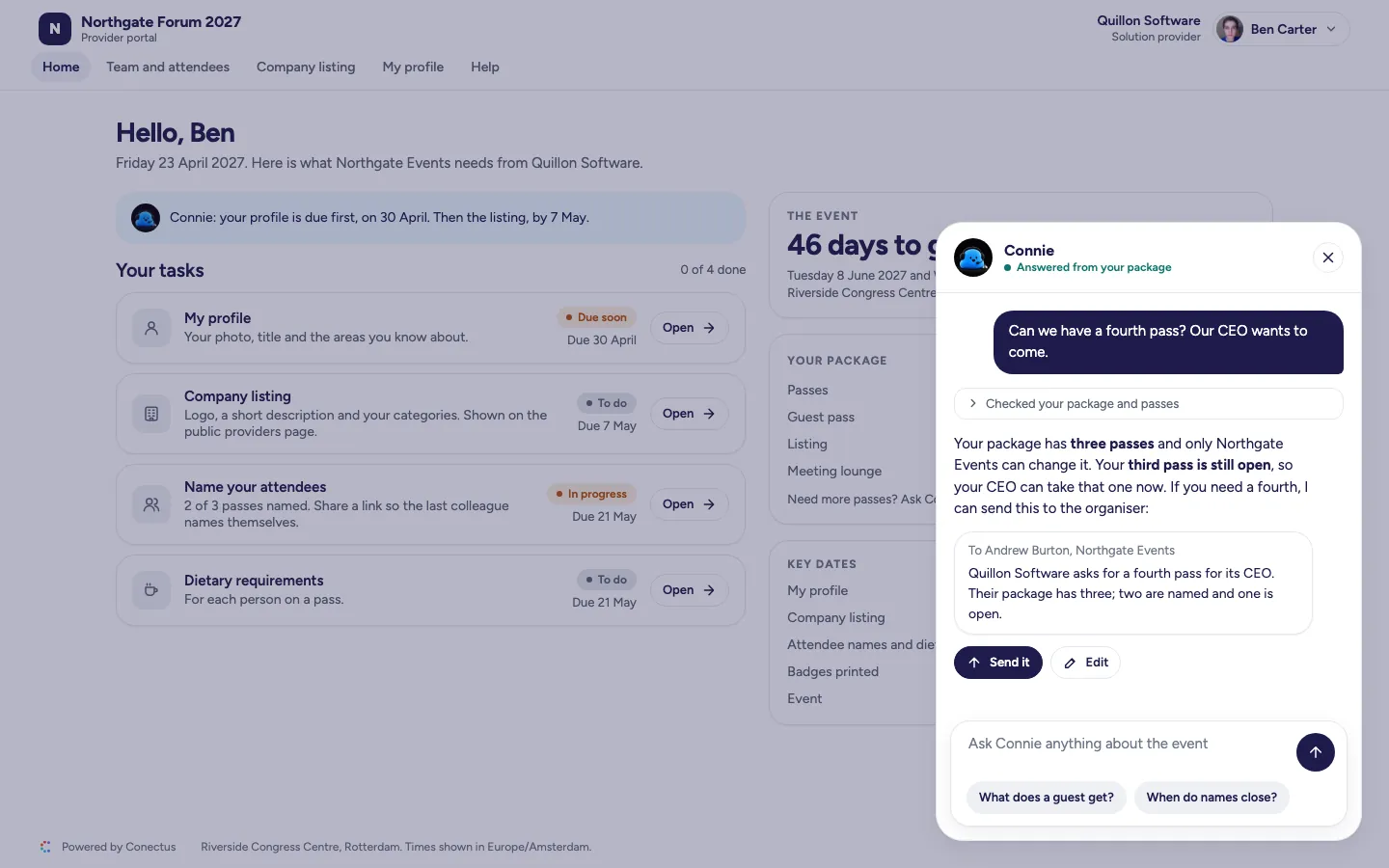
What Penny does here
- Penny draws each answer from your knowledge base and the provider's own tasks.
- Never changes a package. She shows the provider the message she would send to you before she sends it.
- Hands anything she cannot answer to the person you named.
 View larger: Home
 View larger: Ask Penny
Wendy gives ready-made portals your event's own colours, type and graphics
Wendy creates your portals' design, from colours and type to headers and photos, and carries it across your event website, emails and posts. Fixed templates keep sections, tasks and forms connected to your event and working on day one. You choose the sections participants see, their order and the copy, and Wendy adjusts the design until you approve it.
- Which sections show
- Their order
- The copy
- The colours, type and graphics Wendy designs with you
- Your logo
Start with an event that works on day one: the layout is fixed, and sections use the existing types.
A request beyond the templates gets a clear response: Conectus says it cannot do it, shows "Request recorded" and offers "Also tell me when it exists". The Conectus team receives the requests, and the most requested become options.
See any portal as a named person, on a date you choose.
See exactly what a named participant sees on a date you choose. The Portals page lets you preview any portal, with sending and charging disabled.
- Choose the person and the date.
- Use the portal as they would.
- Try a send or a charge: the preview stops it and tells you so.
Sam, Wendy and Penny prepare portals in your event's design, with each step approved by you.
See your portals take shape, with set-up, build and preview together on the organiser's Portals page.
- 1. Set-up
Sam proposes the set‑up
Give each person a clear task list. Sam proposes what each portal asks for, such as a new task and deadline for every sponsor, and lists the checks he ran. Portal changes take effect when you approve.
- 2. Build
Wendy builds and you lock in
Wendy turns the templates into a draft of each portal for your review. Comment on the result, make your own edits if you want, and approve it before anything goes live at launch.
- 3. Preview
Penny's preview
See exactly what a named participant sees on a date you choose. The Portals page lets you preview any portal, with sending and charging disabled.
Make an enquiry or book a walkthrough
See your event's website take shape as you type, in the designs Wendy creates. We'll reply by email and arrange a walkthrough call if you ask.
The core plan includes all four portals. Make an enquiry.