Sam builds your event's structure from a conversation.
Get the task types, deadlines, packages and settings your event needs, proposed together by Sam. Sam asks plain questions and uses your answers to shape the setup. You can build any part by hand, and nothing is saved until you say yes.
Things to ask Sam
- Try: Stands for Platinum and Gold. Slides a week before. Venue: insurance by 21 May, delivery by 28 May.
- Try: Turn on the reminders, the sponsors are behind.
- Try: I uploaded our logo, can you match the colours?
- Try: Emails should come from Northgate Forum team and replies should go to hello@
- Try: Check the dates against the agenda.
- Try: Export everything for our records.

What Sam made for Northgate Forum 2027
Explore the work delivered to sponsors, speakers and delegates at this sample event.
 Sam package and deadlines
 Penny answers and reminders
- Sam tasks and deadlines
- Penny chases what is owed
- Sam registration and email
 Wendy the sign-up form
- Sam package and deadlines
Sam turns your request into work ready for your approval.
Watch Sam turn a request into a proposal in this replay for the fictional Northgate Forum 2027 at the Riverside Congress Centre in Rotterdam.

The work you can leave with Sam
- Creating the organisation and the event: name, dates, time zone, venue, currency and the audiences you need.
- Members and roles (owner, admin, staff), with every invite shown before it is sent.
- Starting each new event from your defaults, with Sam copying across the task types, knowledge base and email copy.
- Task types per audience, with due dates, hard deadlines and how firmly each reminder chases.
- The form behind each task, built field by field with a live preview.
- Packages and entitlements, with per-company overrides and a reason for each.
- Handing the company, attendee and speaker spreadsheet import to Sam, who checks each row before writing it.
- Registration links, the registration webhook and ticketing connectors set up for you by Sam.
- Settings: key dates, hotels, venue and travel, branding, the email template and the sender.
- The launch checklist, launch and post-event archiving handled by Sam.
Sam in four states
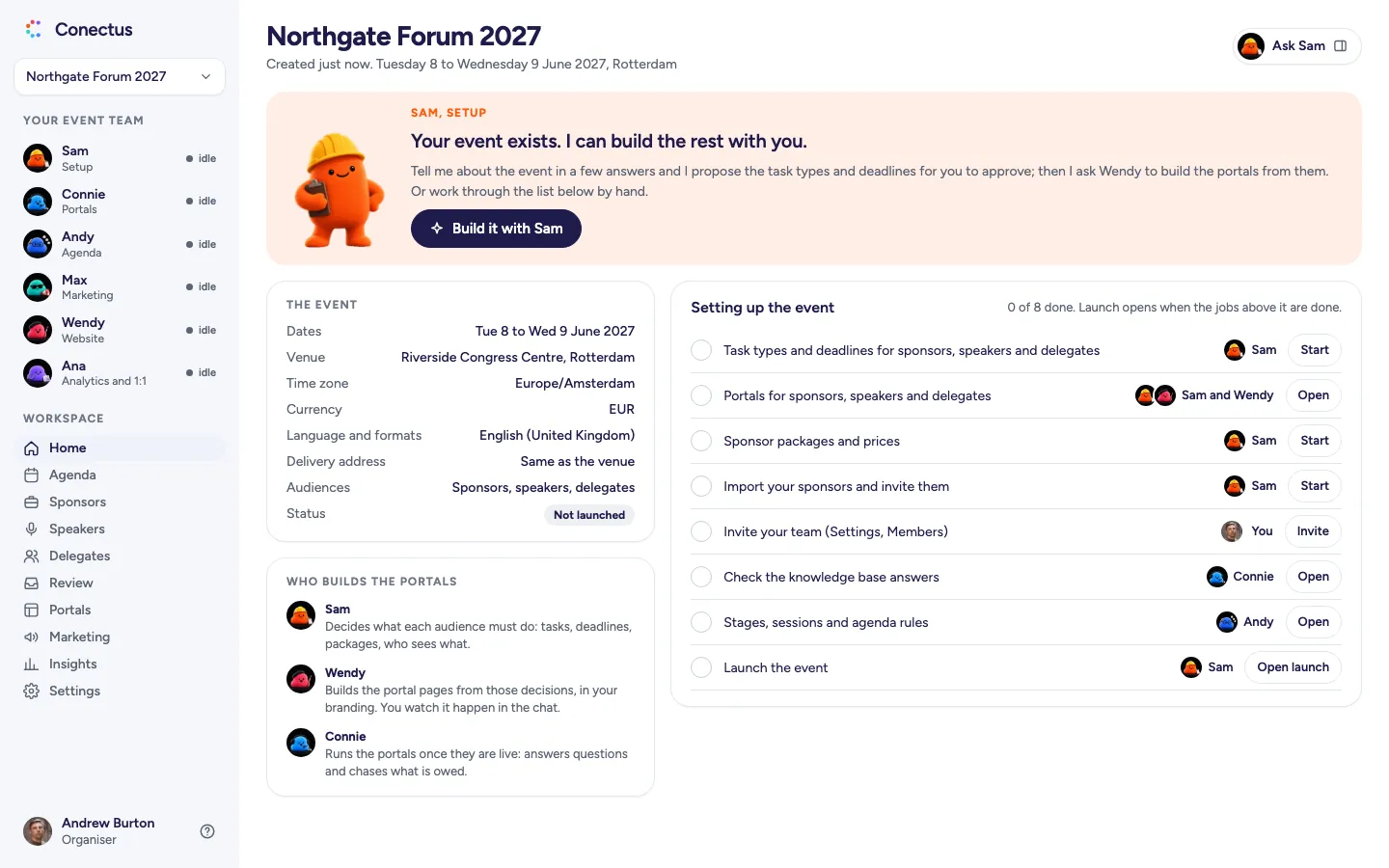
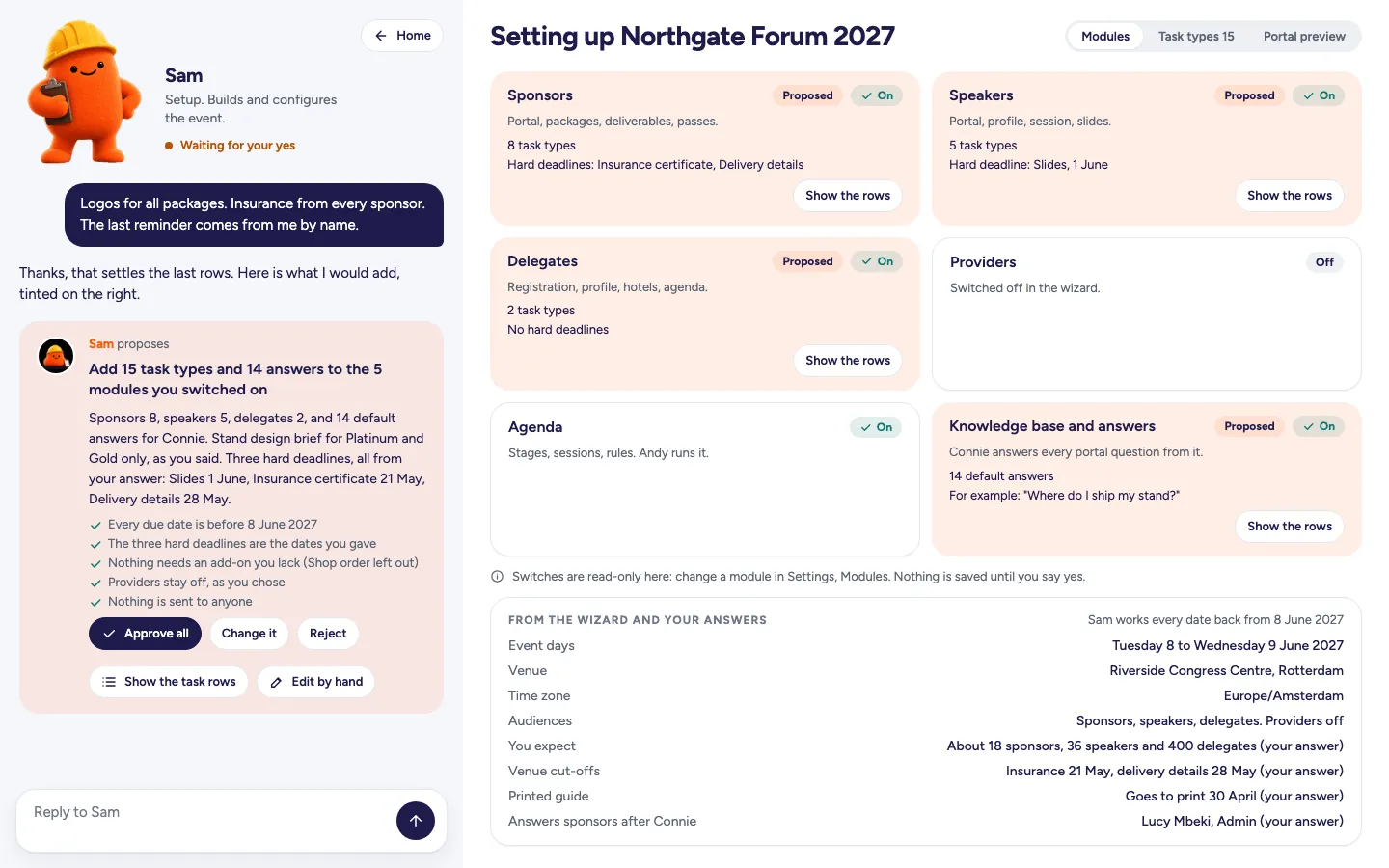
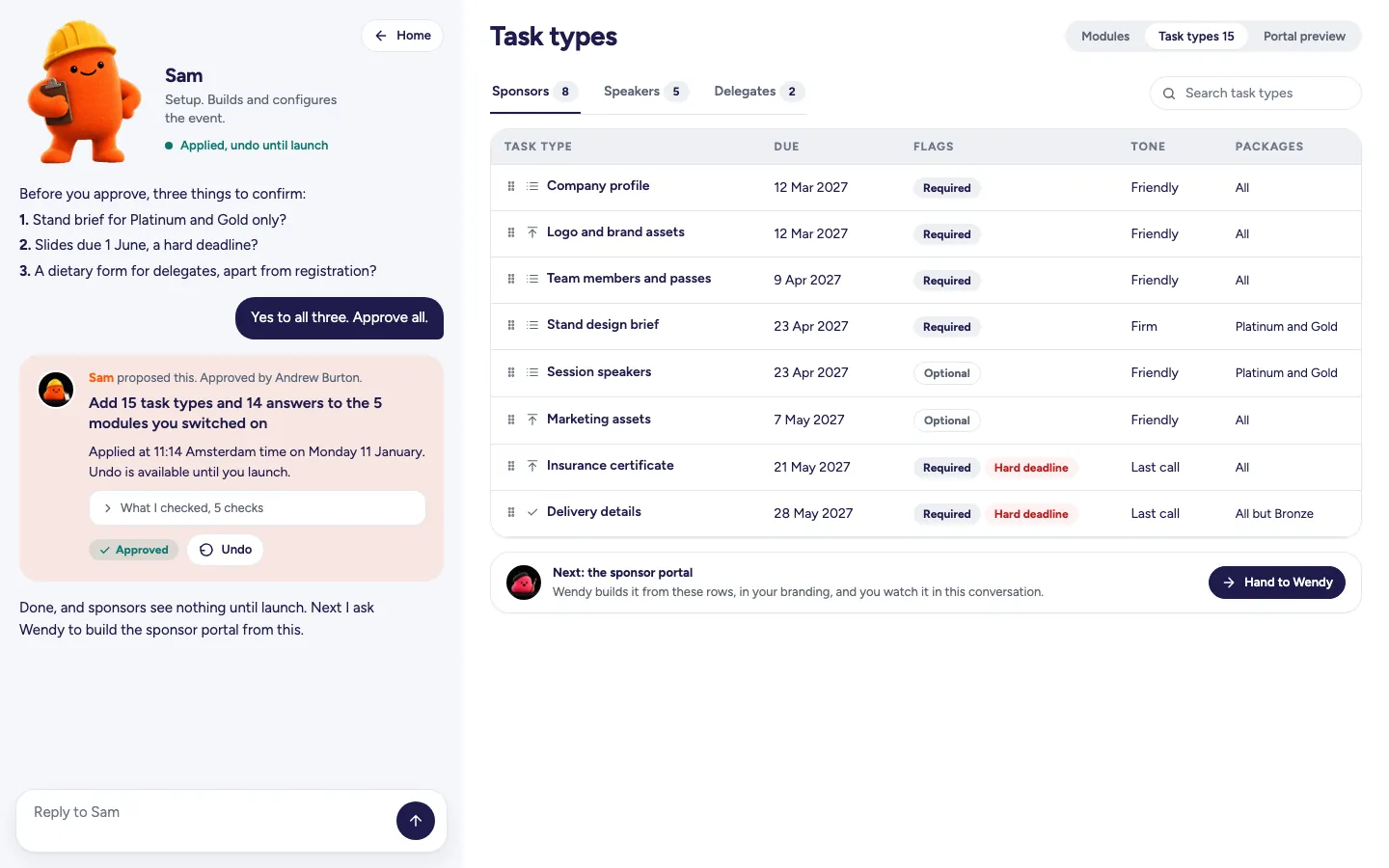
Wireframes of the product on the fictional Northgate Forum 2027. Open any frame to see it larger.
- Empty, first use
 Open larger
A new event: the setup jobs listed, each with the agent who owns it. - Proposal waiting
 Open larger
A proposal you can assess: Sam names every hard deadline and shows the checks it ran. - Approved
 Open larger
Approved by Andrew Burton. Undo stays available until launch. - Problem
 Open larger
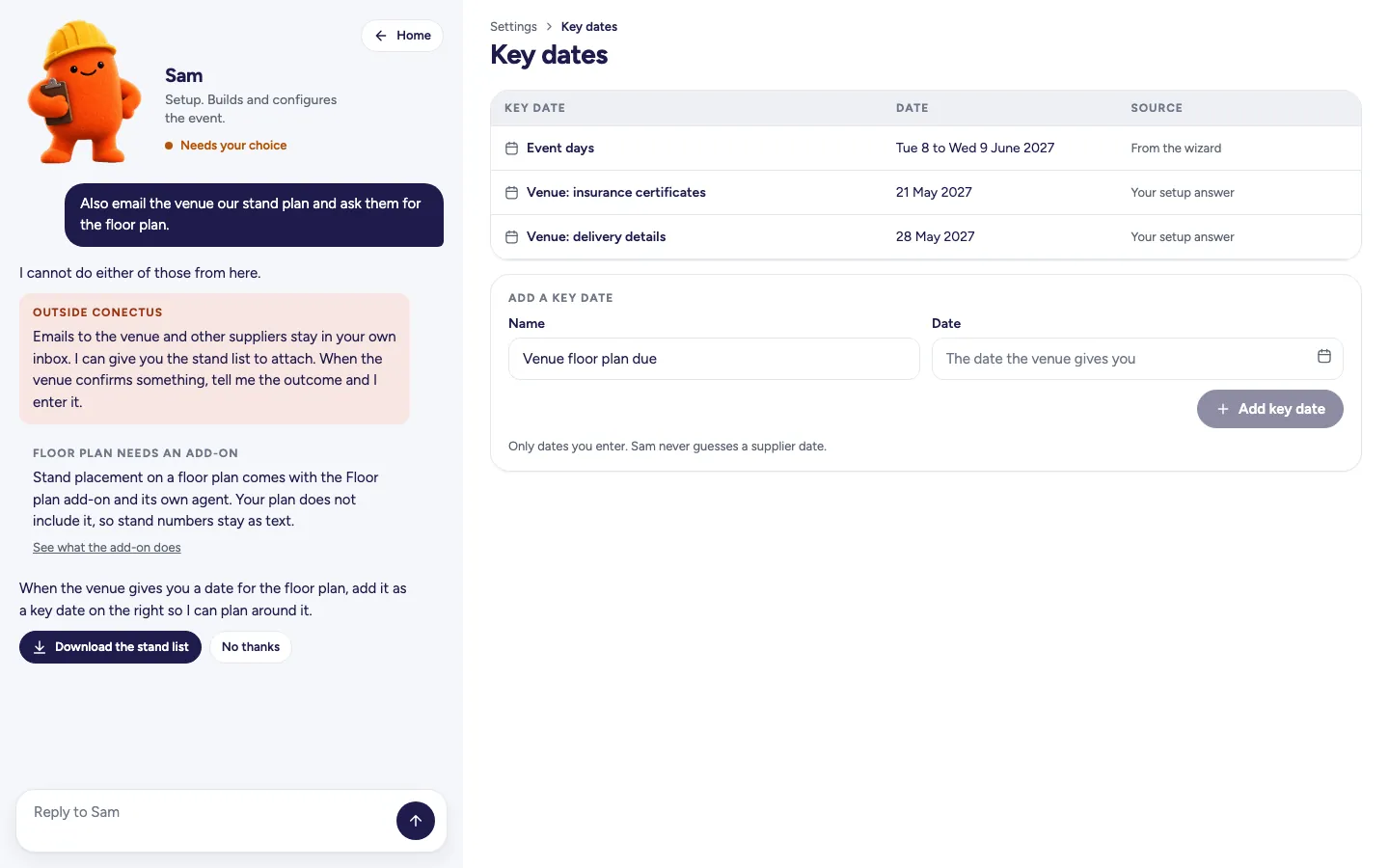
Asked to email the venue, Sam offers a stand list to attach and confirms the email stays in your inbox.
Who Sam works with
See how work passes between agents, with each hand-off presented as a proposal for your approval.
- SamSetupandWendyWebsite
Sam passes your approved tasks and deadlines straight to Wendy, who builds them into a sponsor portal in your event's colours, type and graphics.
Meet Wendy - SamSetupandPennyPortals
Sam defines when reminders are due and who they come from. Penny handles the chasing within the cap you set.
Meet Penny - SamSetupand
 AndyAgenda
Sam keeps the venue details in place. Edit the rooms within that venue in Andy's agenda.
Meet Andy
Add-ons
Choose a new module and it comes with its own agent. Extend Sam's module and Sam handles the added work.
Floor plan, stands and shop
Arrives with its own agentPlace stands on a floor plan and manage the stand builder, shop and artwork proofs through an add-on with its own agent. In the base setup, Sam keeps each company's stand number in a text field.
White label
Extends Setup, run by SamSam can request a quote for white label, which extends the settings to include changes such as removing the Conectus footer from your event's portals and emails. The lock stays visible in Sam's settings.
Frequently asked questions
- Does Sam change anything without asking me?
- No. Sam proposes and you approve. A wording tweak is one click, and an invite or a launch shows every recipient first. Sends, charges and deletions are always approved by a person.
- Can I set up the event without talking to Sam?
- Yes. The first screen gives you both routes: Talk to Sam or set it up by hand. You can use every page with the panel closed. If you edit a proposed row, Sam's proposal is marked superseded.
- Can Sam email the venue or our suppliers?
- No. Work with the venue and suppliers stays in your own inbox. When they confirm something, tell Sam the outcome and he enters it, for example as a key date.
- What if I approve something by mistake?
- Undo it. You can undo one proposal, or everything Sam did in a run, and the audit log shows who proposed and who approved each change.
Make an enquiry or book a walkthrough
See your event's website take shape as you type, in the designs Wendy creates. We'll reply by email and arrange a walkthrough call if you ask.