Andy builds the programme and keeps it consistent.
See your whole programme in one grid, with rule breaches marked exactly where they happen. Andy checks every change to stages, sessions and speakers against your rules and moderator and sponsor agreements, then proposes the smallest fix for your approval.
Things to ask Andy
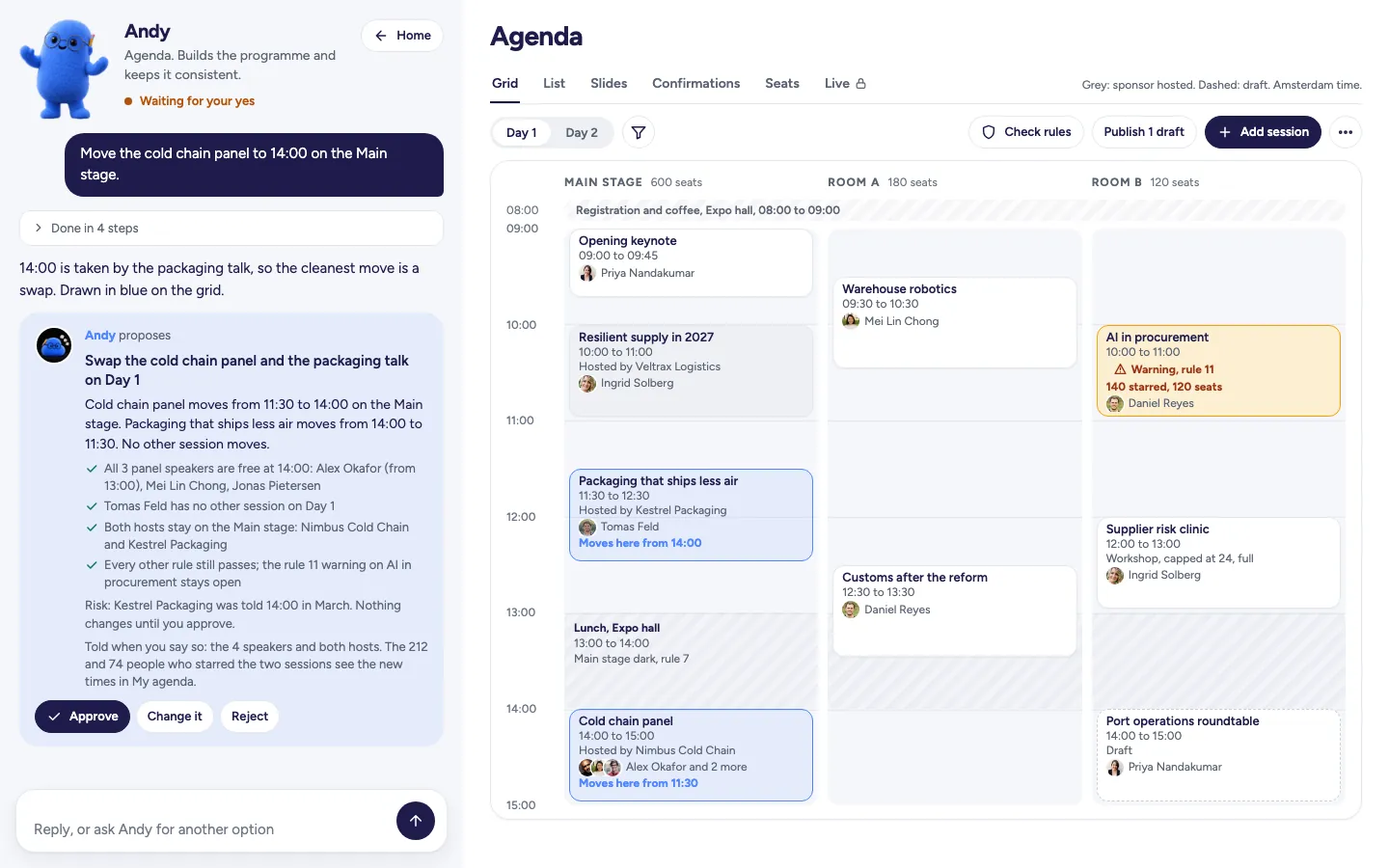
- Try: Move the cold chain panel to 14:00 in Maas Hall.
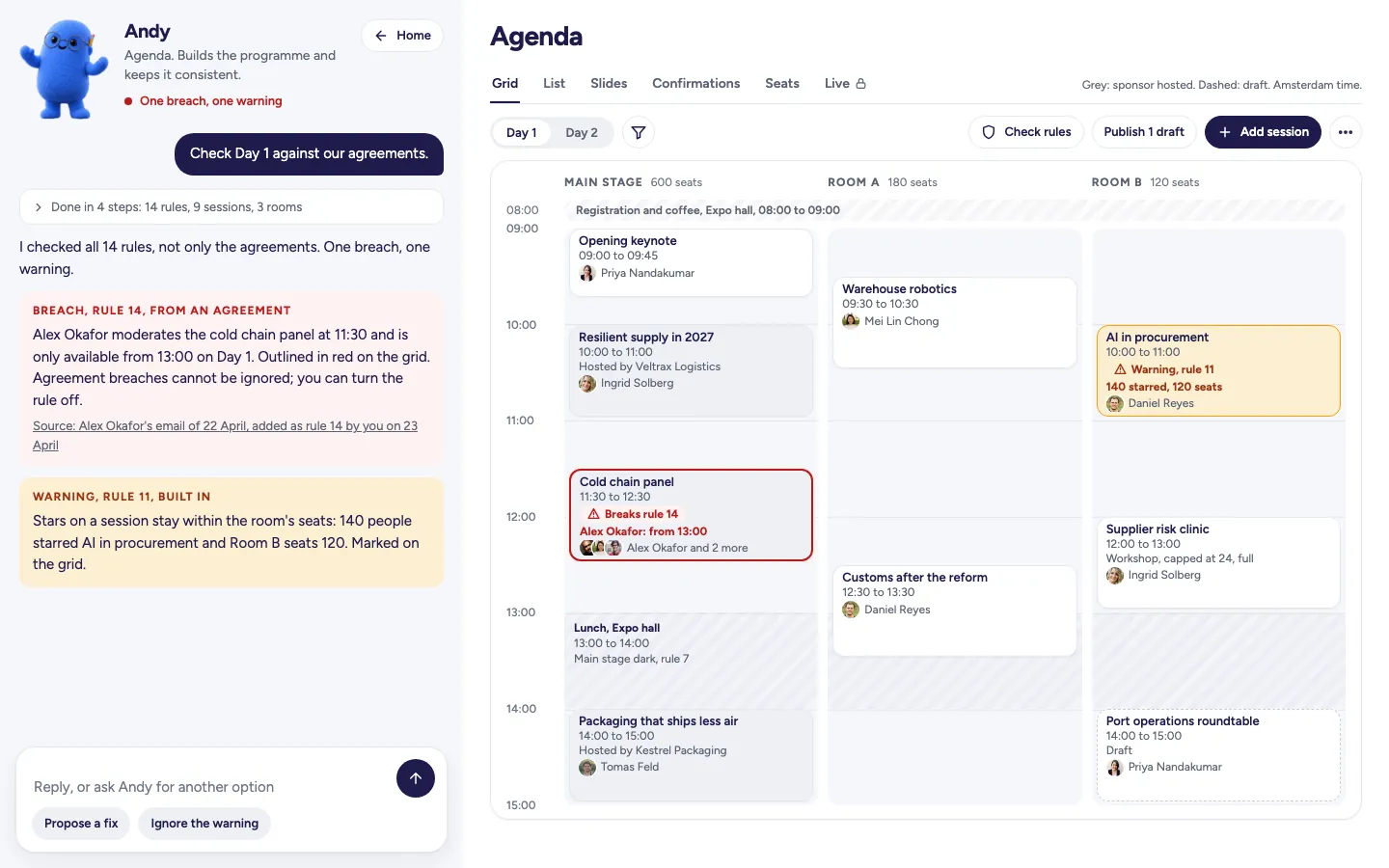
- Try: Check Day 1 against our agreements.
- Try: Chidi Okafor emailed: only free from 13:00 on day one. I pasted it in.
- Try: Day 2 has to end at 16:00, the venue needs the hall for a changeover.
- Try: Publish the drafts on both days.
- Try: Accept it into Day 2, Quay Theatre at 14:00.

What Andy made for Northgate Forum 2027
Explore the work delivered to sponsors, speakers and delegates at this sample event.
 Wendy designed and built the pages
 Andy the programme
- Andy sessions
 Alex 1:1 meetings in the breaks
Andy turns your request into work ready for your approval.
Watch Andy turn a request into a proposal in this replay for the fictional Northgate Forum 2027 at the Riverside Congress Centre in Rotterdam.

The work you can leave with Andy
- A programme you can shape: stages, rooms and seat counts, a day structure, and sessions to create, move, duplicate and publish.
- Clashes caught by Andy: overlapping sessions for a speaker or a stage booked twice.
- Agenda imports with a check on every spreadsheet row before Andy writes it.
- Speakers and host companies placed in the programme by Andy.
- Session confirmations and change or move requests handled by Andy, with the outcome email ready to review before sending.
- Slides with control over when attendees can download them.
- Seats, held places and waitlists for workshops, roundtables and dinners.
- Moderator and sponsor agreements carried into programme rules that Andy checks on every change.
- The call for papers queue, nominations and confirmations once a speaker has said yes.
- A community agenda shaped by topics, votes and comments, with you choosing which topics to open, lock or freeze.
Andy in four states
Wireframes of the product on the fictional Northgate Forum 2027. Open any frame to see it larger.
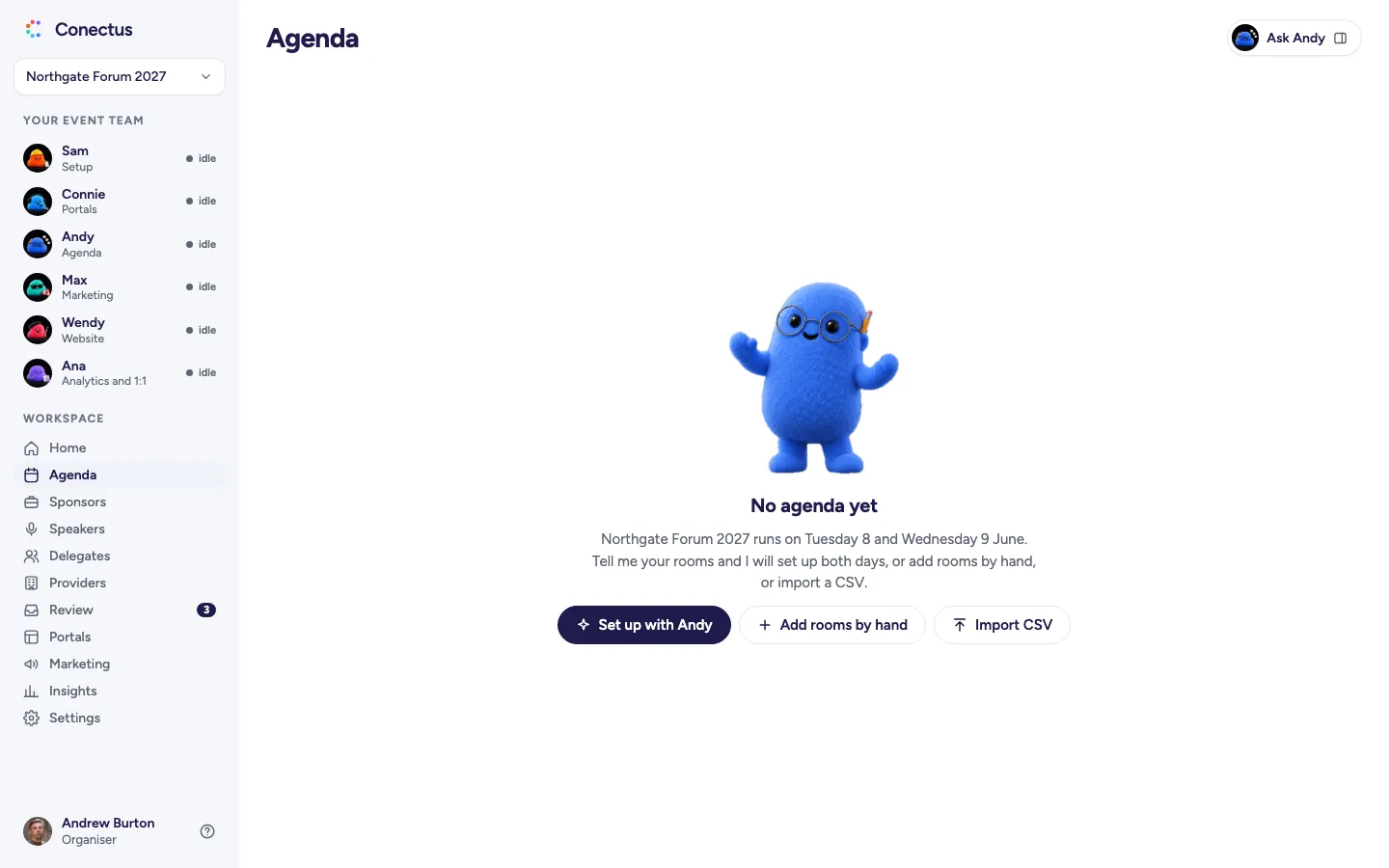
- Empty
 Open larger
Your programme starts here. Set up rooms and sessions with Andy or by hand. - Proposal
 Open larger
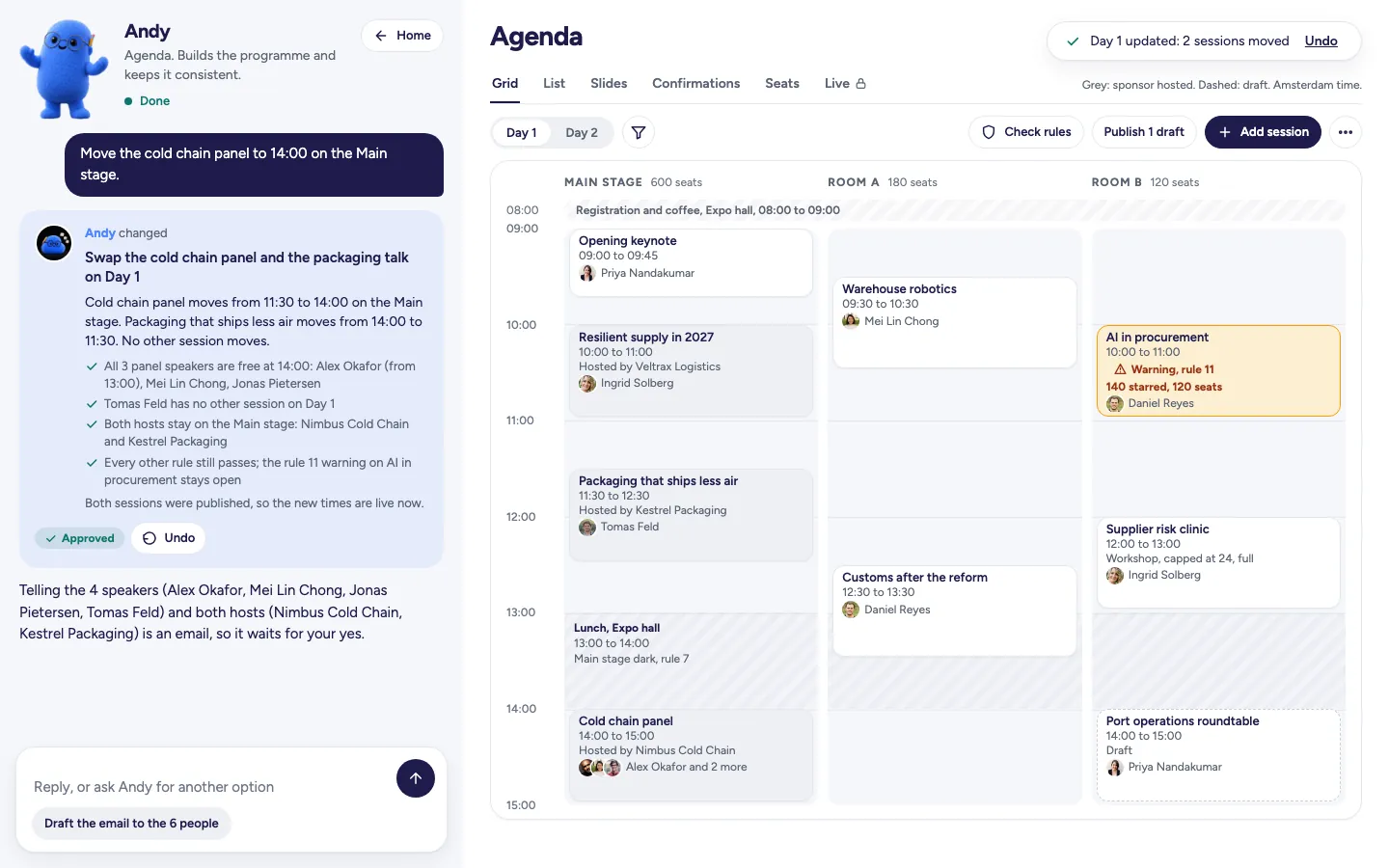
A swap you can inspect on the grid, with every speaker and host checked by Andy. - Approved
 Open larger
The move is made, with Undo available. Andy's separate speaker email waits for your yes. - Results
 Open larger
See which session breaches an agreement and why, with Andy's marker on the session.
Who Andy works with
See how work passes between agents, with each hand-off presented as a proposal for your approval.
- AndyAgendaand
 PennyPortals
Andy finds the speakers who still owe slides, and Penny handles the chase once you approve.
Meet Penny - AndyAgendaandWendyWebsite
When Andy publishes the agenda, Wendy shows you the website's programme page with the change, in the event's design, before it goes live.
Meet Wendy - AndyAgendaandAlexAnalytics and 1:1
Alex handles the agenda check with Andy's programme before proposing 1:1 meetings.
Meet Alex
Frequently asked questions
- What rules does Andy check?
- Andy runs all the rules whenever anything changes. That includes built-in checks for speakers in two places, rooms booked twice and stars within a room's seats, alongside your house rules and rules made from agreements you paste in.
- Can I still drag sessions myself?
- Yes. Move sessions yourself on the grid, with Andy checking as you drag and telling you if a drop would break a rule. An edit made after a proposal marks that proposal superseded.
- Can I ignore a warning?
- Yes, with your reason recorded. A breach of a rule from an agreement cannot be ignored. You can turn that rule off.
- Does Andy tell speakers when their session moves?
- People who starred the session see its new time in My agenda. Andy's notification is a separate email, with every recipient shown, and waits for your yes.
Make an enquiry or book a walkthrough
See your event's website take shape as you type, in the designs Wendy creates. We'll reply by email and arrange a walkthrough call if you ask.