Wendy designs your event's look and builds the website and portals in it.
Give your event a look that carries from its public pages to its portals. Wendy designs it, builds your portals from templates and runs your embeds, forms and read-only API. Wendy checks the visitor view and proposes it for your approval before anything goes public.
Things to ask Wendy
- Try: Can we make the speakers page public this week?
- Try: Publish the speakers page now.
- Try: Hide the room names, visitors do not need them yet.
- Try: Not until the photos are in.

What Wendy made for Northgate Forum 2027
Explore the work delivered to sponsors, speakers and delegates at this sample event.
 Wendy designed and built the pages
 Andy the programme
 Sam registration and email
- Wendy the sign-up form
Wendy turns your request into work ready for your approval.
Watch Wendy turn a request into a proposal in this replay for the fictional Northgate Forum 2027 at the Riverside Congress Centre in Rotterdam.


The work you can leave with Wendy
- Public agenda, speaker, sponsor and attendee pages in your event's design, prepared by Wendy and off until you switch each on.
- Embeds Wendy prepares for your existing website, with access limited to the sites you allow.
- The read-only API Wendy manages for access to published content, with scoped keys and the same page switches.
- The privacy page Wendy builds using the organisation and event details you've supplied.
- The public attendee list Wendy prepares to show the job titles and companies attending, with names kept private.
- Keeping visitors up to date: Wendy maintains speaker photos and bios, sponsor logos, dates and venue as your event changes.
- Forms in your event's design, built by Wendy for registration, call for papers, sponsorship enquiries and the VIP pass.
- Publishing Max's blog posts so visitors can read them on your event website, with Wendy handling publication.
- Building portals that carry your event's design, with Wendy using templates and giving you a draft to edit, comment on and approve before launch.
- Your event's design across every page, portal, email and post, with Wendy shaping the website and portal look and making changes until you approve it.
Wendy in four states
Wireframes of the product on the fictional Northgate Forum 2027. Open any frame to see it larger.
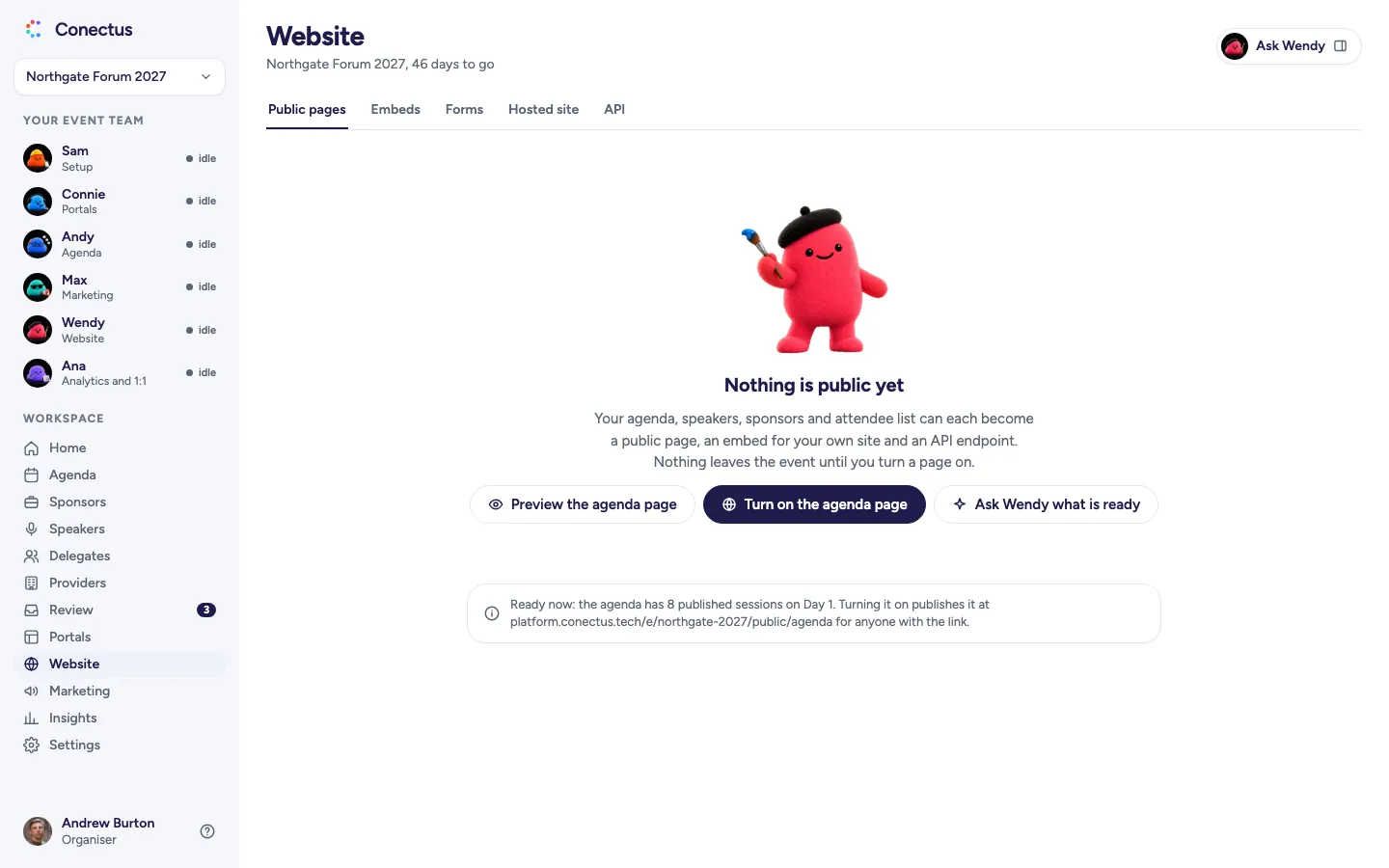
- Empty
 Open larger
All pages are off here. Content stays inside the event until you turn a page on. - Proposal
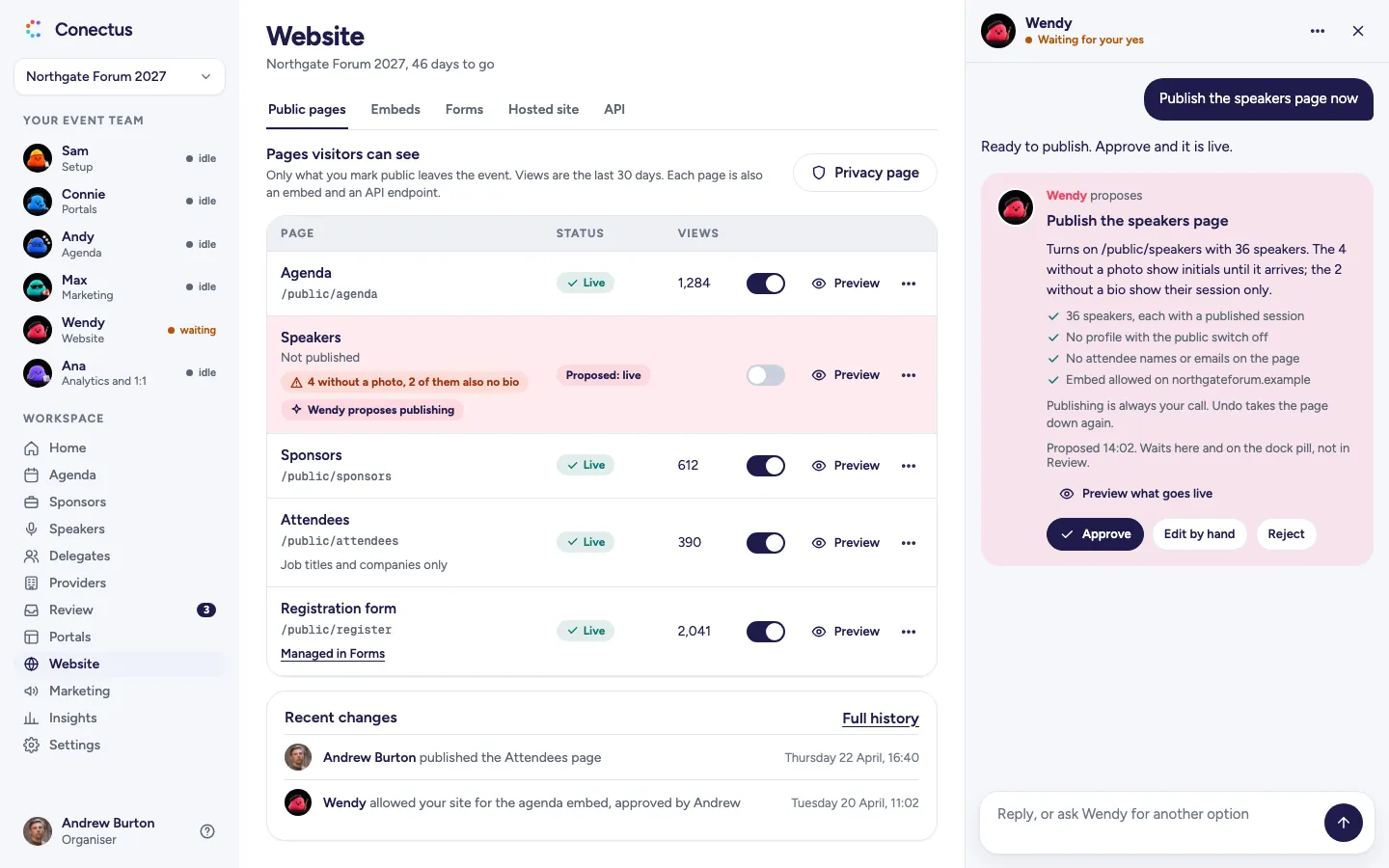
 Open larger
See the page visitors will get, what goes live and Wendy's checks before you approve. - Approved
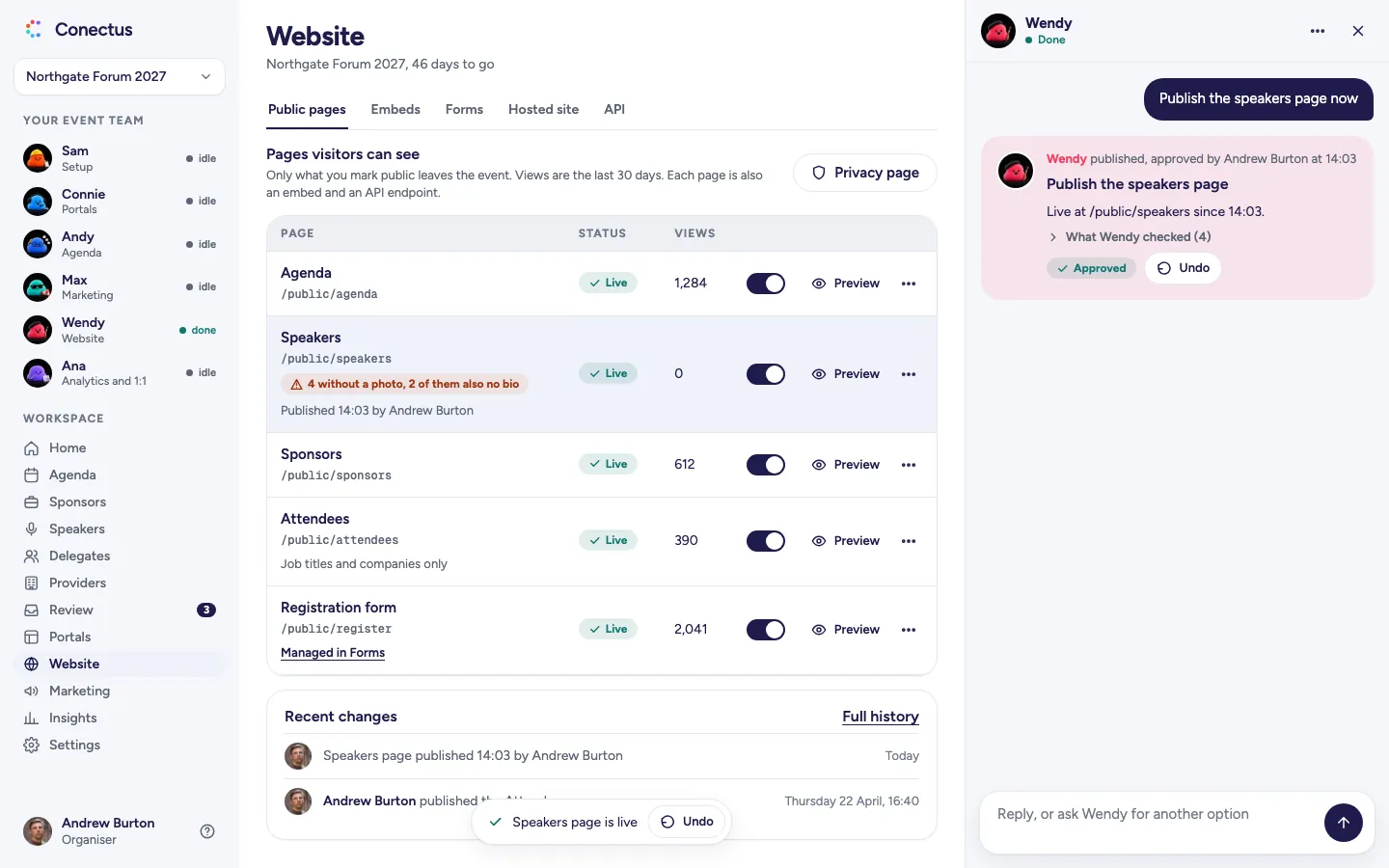
 Open larger
See who approved the live page and when, and use Undo on the card. - Problem
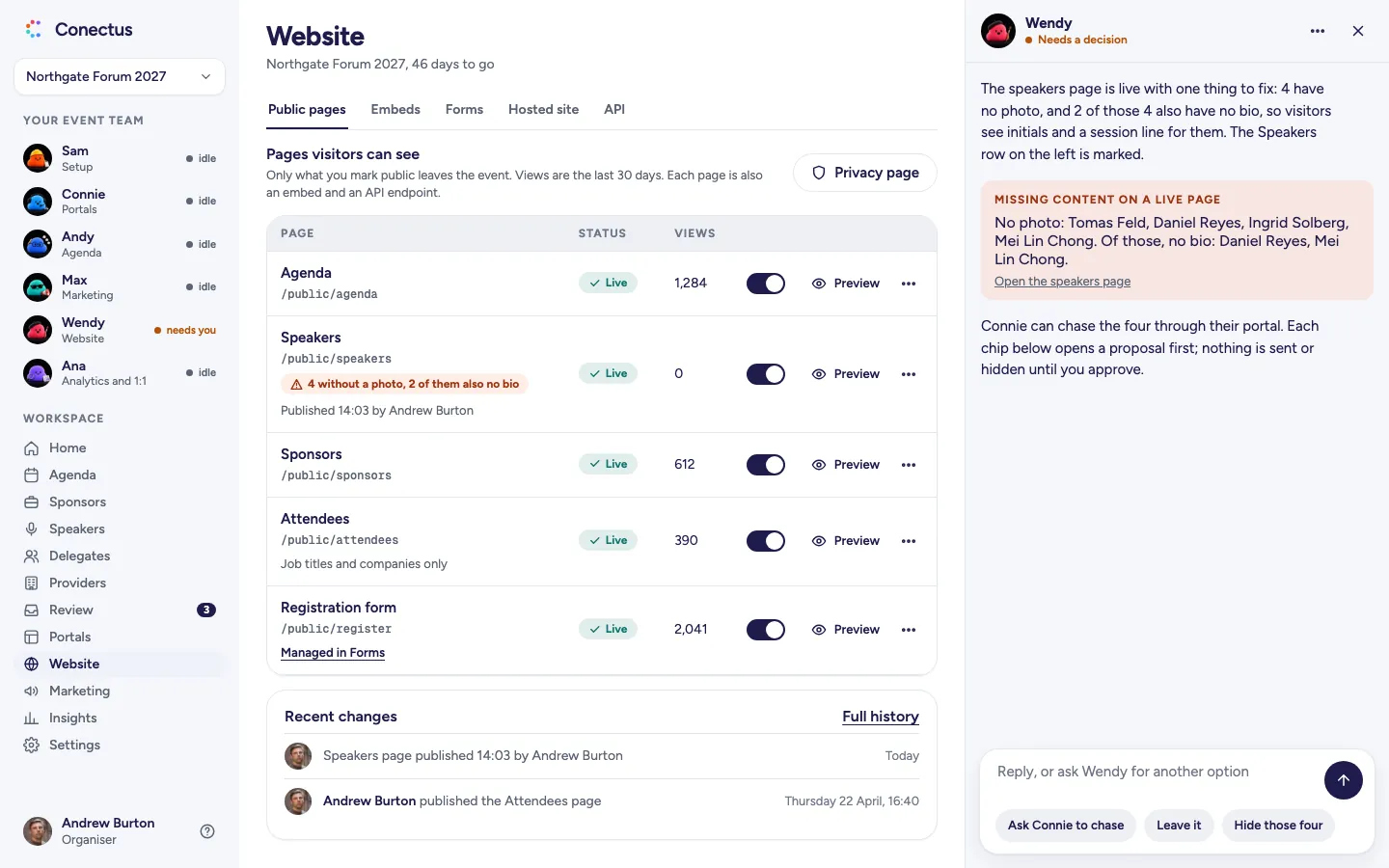
 Open larger
Wendy flags the live page's missing photos, names the people and offers a chase from Penny.
Who Wendy works with
See how work passes between agents, with each hand-off presented as a proposal for your approval.
- WendyWebsiteandSamSetup
Wendy turns the approved tasks and deadlines Sam supplies into a sponsor portal in the event's design, then hands it back.
Meet Sam - WendyWebsiteandAndyAgenda
See how Andy's published agenda will appear on your public page, with Wendy showing every change.
Meet Andy - WendyWebsiteand
 MaxMarketing
Max writes the blog posts, and Wendy publishes them in your event's website design on the day.
Meet Max
Add-ons
Choose a new module and it comes with its own agent. Extend Wendy's module and Wendy handles the added work.
White label
Extends Website, run by WendyGive your event's design a hosted site on your own domain with the White label add-on, which extends Wendy's module. Without the add-on, you keep the public pages and embeds on your own site.
Frequently asked questions
- Is anything public before I switch it on?
- No. Every public page starts off. Nothing leaves the event until you turn a page on, and publishing is always your call.
- Can Wendy design any page I ask for?
- Wendy works within the templates: sections on or off, their order, the copy, the colours and your logo. A request the templates cannot meet is recorded for the Conectus team, and the most requested become options.
- Do we need our event website on Conectus?
- No. Embeds put the agenda, speakers, sponsors and the registration form on your own site. A hosted site on your own domain comes with the White label add-on.
- What do visitors see of our attendees?
- Job titles and companies, never names or emails.
Make an enquiry or book a walkthrough
See your event's website take shape as you type, in the designs Wendy creates. We'll reply by email and arrange a walkthrough call if you ask.