Max turns your event's news into posts, newsletter issues and campaigns ready for your audience.
Give every speaker confirmation, sponsor signing and approaching date a place in your marketing. Max turns each into a draft with its sources and checks attached, ready for your approval before it goes out.
Things to ask Max
- Try: Draft the Ingrid post.
- Try: What should we post this week?
- Try: Build this week's issue.
- Try: Schedule the rest of the Ingrid sequence.
- Try: Should the lapsed campaign have a code?
- Try: Change it: shorter, and lead with the session title.

What Max made for Northgate Forum 2027
Explore the work delivered to sponsors, speakers and delegates at this sample event.
 Max drafted from Priya's session and bio
Max turns your request into work ready for your approval.
Watch Max turn a request into a proposal in this replay for the fictional Northgate Forum 2027 at the Riverside Congress Centre in Rotterdam.


The work you can leave with Max
- LinkedIn posts Max drafts from your event's latest activity, ready for your own account and company page.
- The content calendar and the idea backlog.
- Your strongest posts ranked by Max, with each post's results added 48 hours after publication.
- Max's batch-written blog posts, published by Wendy in your event website's own look.
- Email campaigns and LinkedIn sequences from Max, with hot leads listed and the signal that makes each worth following up.
- Your sponsorship brochure updated by Max when packages change, with the media kit and press release prepared too.
- Campaign promo codes Max creates through your own Stripe account.
- Each attendee's post-event recap card, prepared by Max.
Max in four states
Wireframes of the product on the fictional Northgate Forum 2027. Open any frame to see it larger.
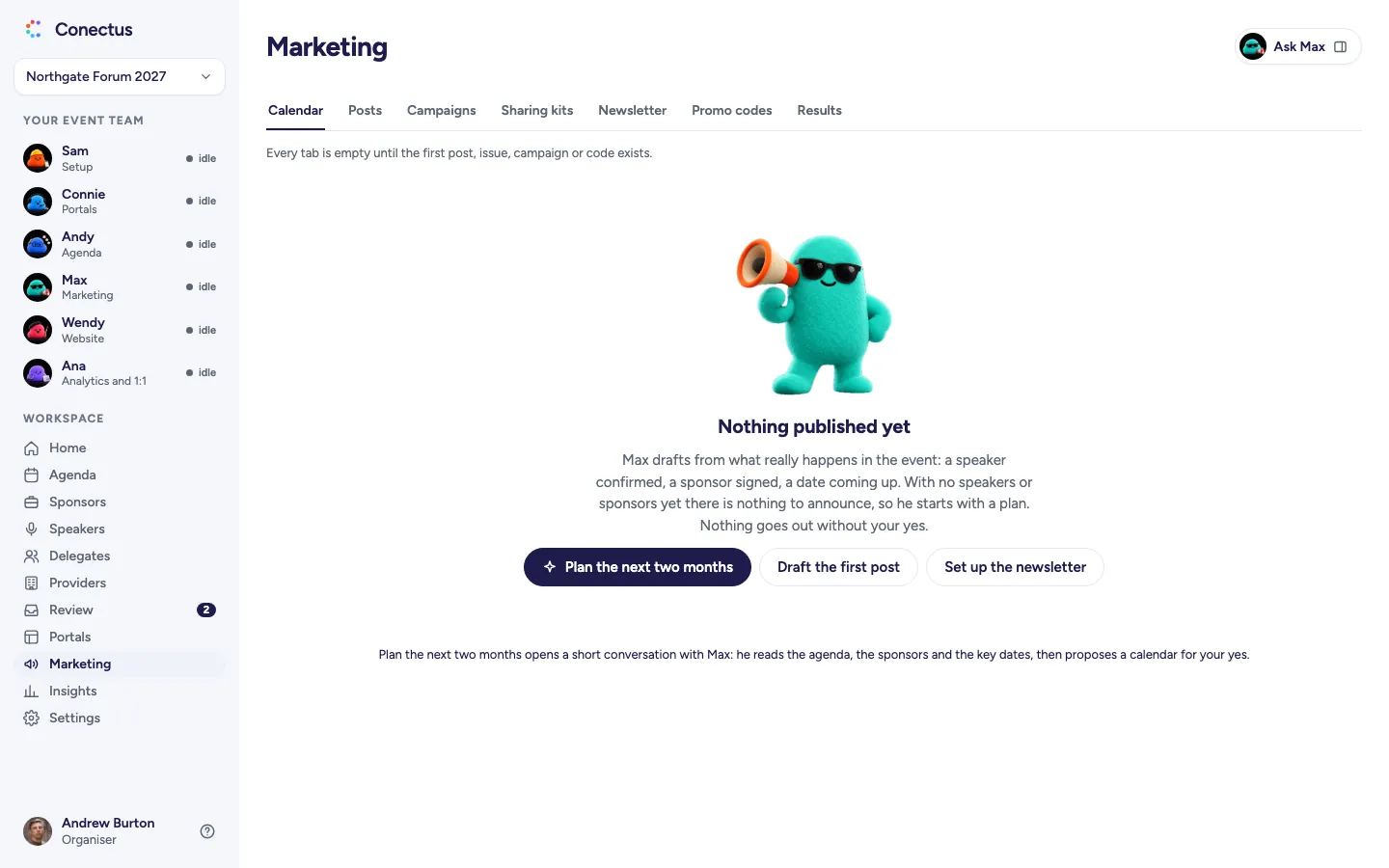
- Empty
 Open larger
Max starts your marketing with a plan for the next two months. Nothing is published yet. - Proposal
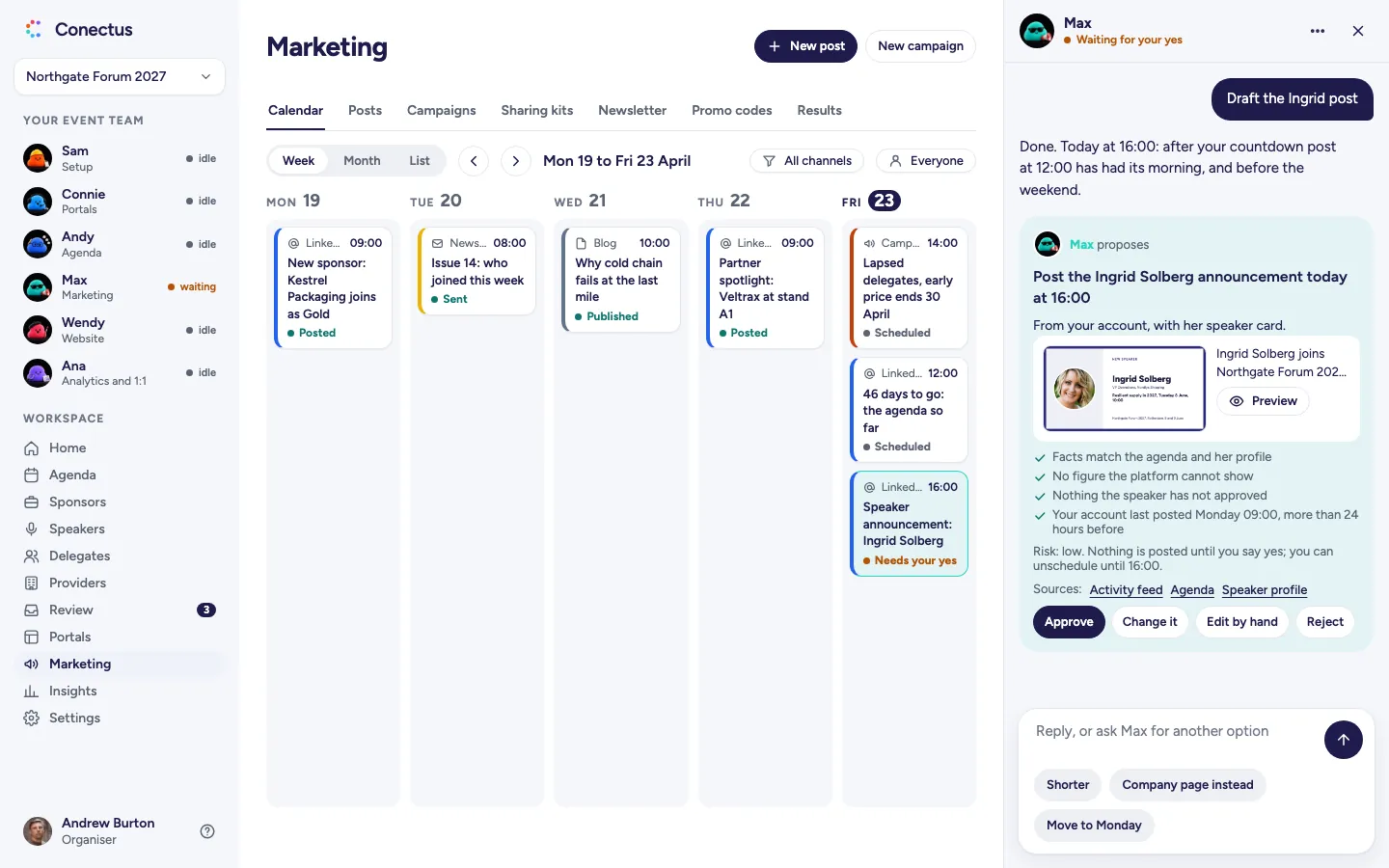
 Open larger
Read Max's actual draft and inspect its sources and checks before you say yes. - Approved
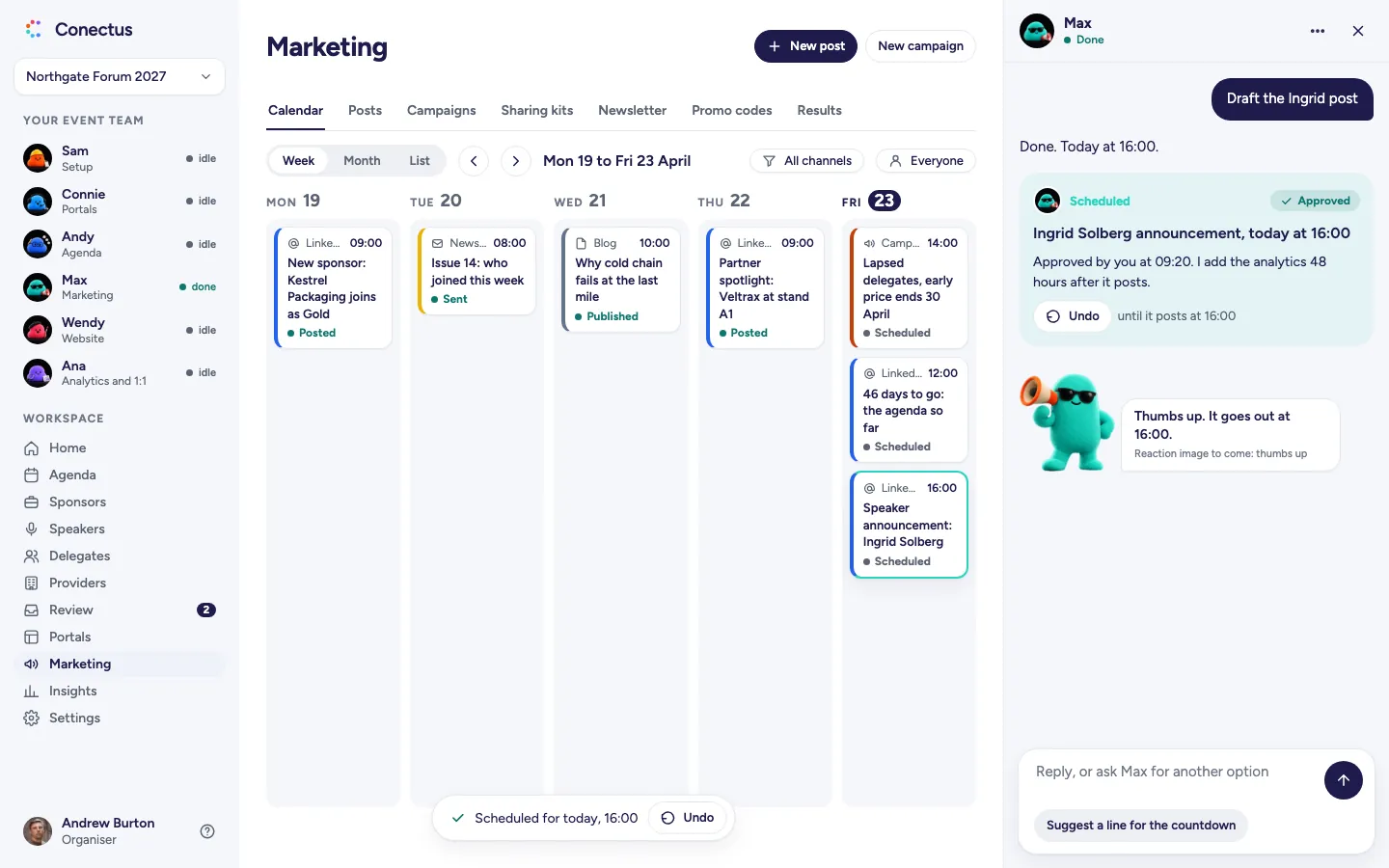
 Open larger
Scheduled, with Undo until it posts. - Problem
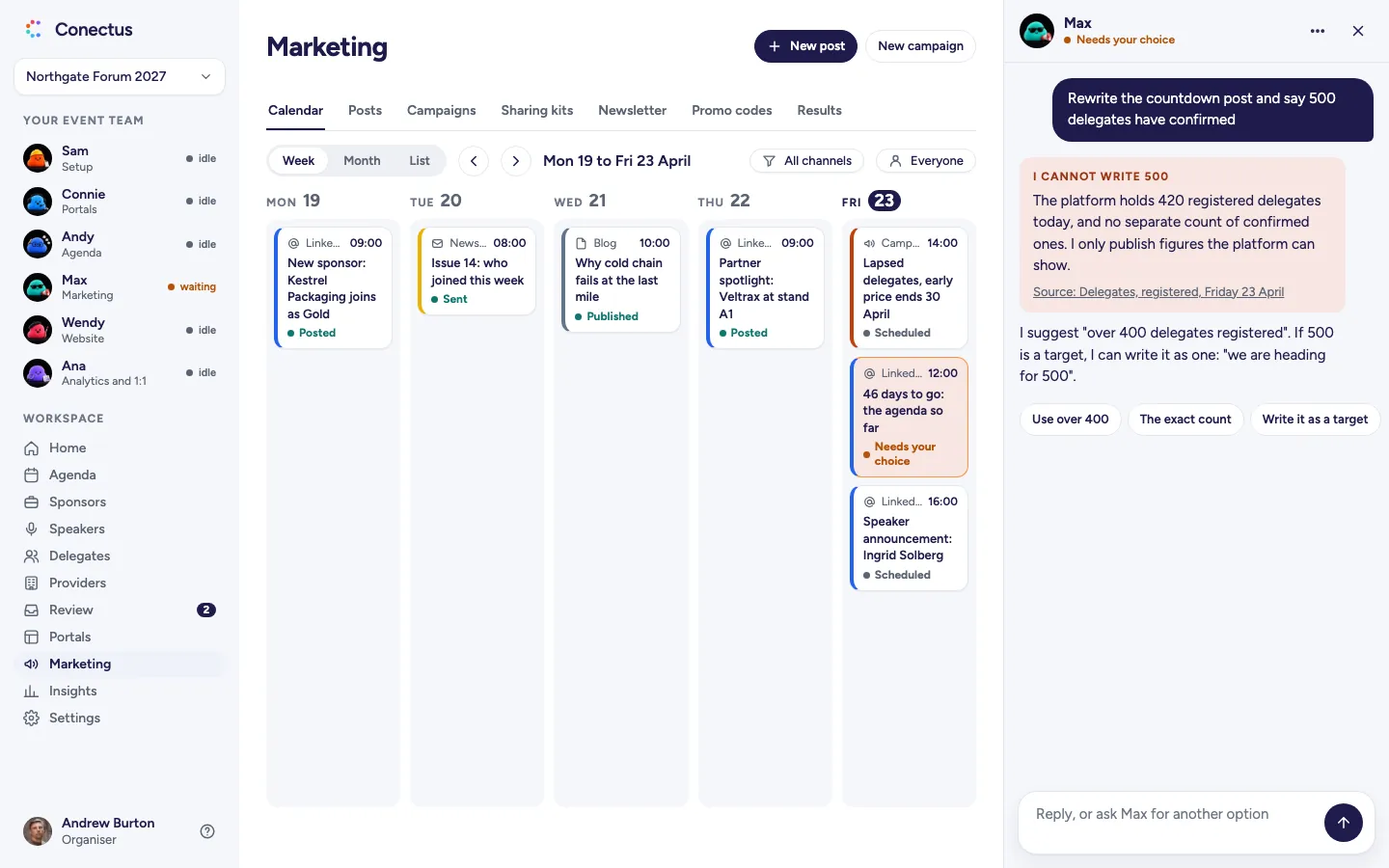
 Open larger
Max keeps the claim accurate: an unsupported figure becomes the real count or a clearly stated target.
Who Max works with
See how work passes between agents, with each hand-off presented as a proposal for your approval.
- MaxMarketingand
 WendyWebsite
Max writes the blog copy, and Wendy publishes it in your event website's own look.
Meet Wendy - MaxMarketingand
 PennyPortals
Penny tracks each sponsor's sharing-kit post from a reminder the day before its due date to a tick when they post.
Meet Penny
Add-ons
Choose a new module and it comes with its own agent. Extend Max's module and Max handles the added work.
Social sharing
Extends Marketing, run by MaxGive sponsors, speakers and delegates posts in your event's design, with Max's Social sharing add-on. Each gets a dated timeline in their portal and reminders from Penny. Without the add-on, the Sharing kits tab stays locked and explains what it offers.
Frequently asked questions
- Does Max post without asking?
- No. Every post, issue and campaign waits for your yes. A scheduled post can be undone until it goes out, and a scheduled email can be cancelled until its send time.
- Will Max make up numbers to make a post sound bigger?
- No. Max only uses figures the platform can show, and names the source. If you ask for a figure he cannot back, he offers the real count or writes it as a target.
- Can Max send from our own email domain?
- Max can send from your own domain once it is verified in Settings. Until verification, Max explains the block in plain language and offers the Conectus sending address.
- Does Max send cold outreach?
- Max runs email campaigns and LinkedIn sequences, with hot leads listed for your follow-up. Mailbox warm-up, sending domains and DNS stay outside Conectus. You approve each send.
Make an enquiry or book a walkthrough
See your event's website take shape as you type, in the designs Wendy creates. We'll reply by email and arrange a walkthrough call if you ask.